Category: Niche Tutorials

  • How to Build a Co-Working Space Website with Canvas HTML Template

    How to Build a Co-Working Space Website with Canvas HTML Template

    Co-working spaces compete on atmosphere, community, and flexibility — and a prospective member’s first impression almost always happens online. If your website doesn’t communicate the energy and professionalism of your space within seconds, you’re losing leads before anyone walks through the door.

    Why Canvas Suits a Co-Working Website Project

    Co-working websites have a recognisable structure: a bold hero with a CTA, a features or amenities grid, a membership pricing table, a gallery or virtual tour section, and a contact or booking form. Canvas ships with all of these as ready-to-use block sections, which means you’re assembling and customising rather than building from scratch.

    Because Canvas is built on Bootstrap 5, its grid system handles responsive layouts across mobile, tablet, and desktop without extra effort. If you’ve previously weighed your options, the post on Canvas HTML Template vs ThemeForest Competitors covers exactly why Canvas tends to win for complex, content-rich builds like this one.

    For a co-working project, the most practical Canvas section types to reach for are:

    • fullpagelayout — for operators with multiple locations, membership tiers, or blog content
    • single_page — for boutique spaces that want one scrollable experience with a strong narrative
    • block_section — for individual reusable components like a pricing table or amenities grid

    If you’re unsure which format fits your client’s brief, the comparison at Canvas One Page Demo vs Multi-Page: When to Use Each Format is worth reading before you start.

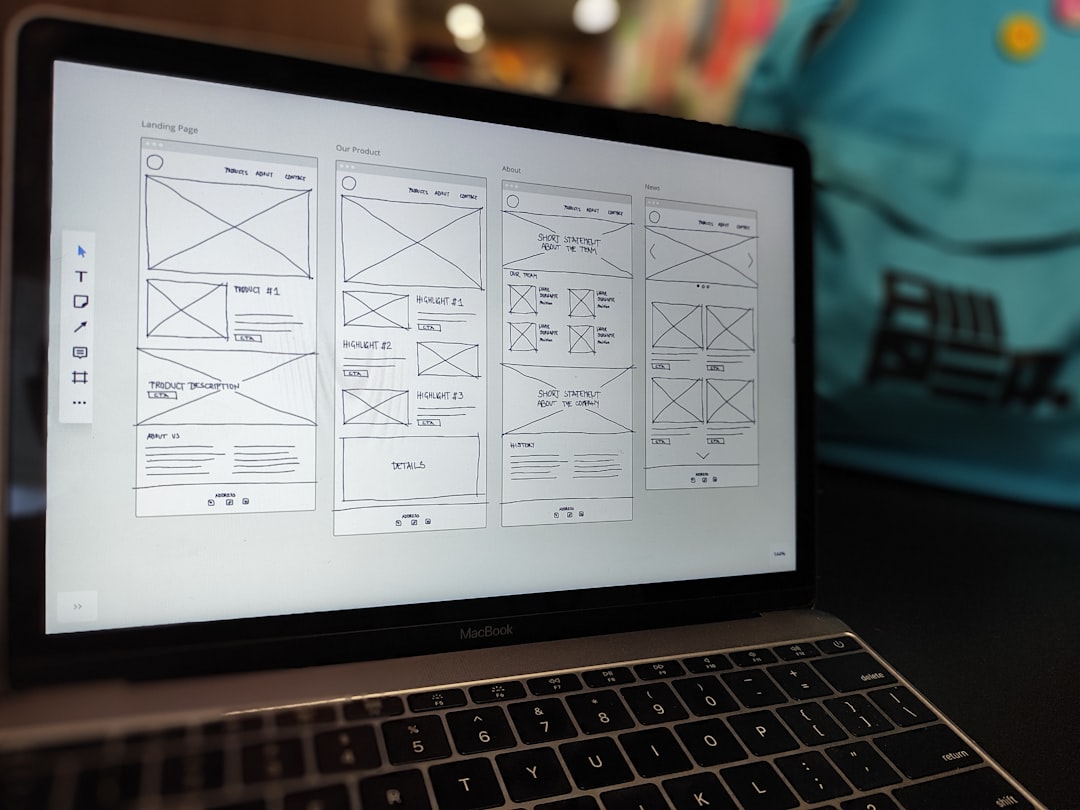
    a tablet sitting on top of a wooden table next to a cup of coffee
    Photo by Rodeo Project Management Software on Unsplash

    Setting Up the Hero Section

    The hero is the highest-impact section on any co-working website. It needs a strong headline, a clear value proposition, and a single primary CTA — typically “Book a Tour” or “View Memberships”. Canvas’s full-width section classes handle the background image and overlay without any custom CSS.

    <section id="slider" class="slider-element min-vh-60 include-header" style="background: url('images/coworking-hero.jpg') center center / cover no-repeat;">
      <div class="slider-inner">
        <div class="vertical-middle">
          <div class="container">
            <div class="row justify-content-center text-center">
              <div class="col-lg-8">
                <div class="emphasis-title">
                  <h2 class="text-white fw-bold ls-0">Work Differently. Thrive Together.</h2>
                  <p class="lead text-white op-07 mb-4">Flexible desks, private offices, and meeting rooms in the heart of the city.</p>
                  <a href="#memberships" class="button button-large button-rounded m-0">View Memberships</a>
                </div>
              </div>
            </div>
          </div>
        </div>
      </div>
    </section>
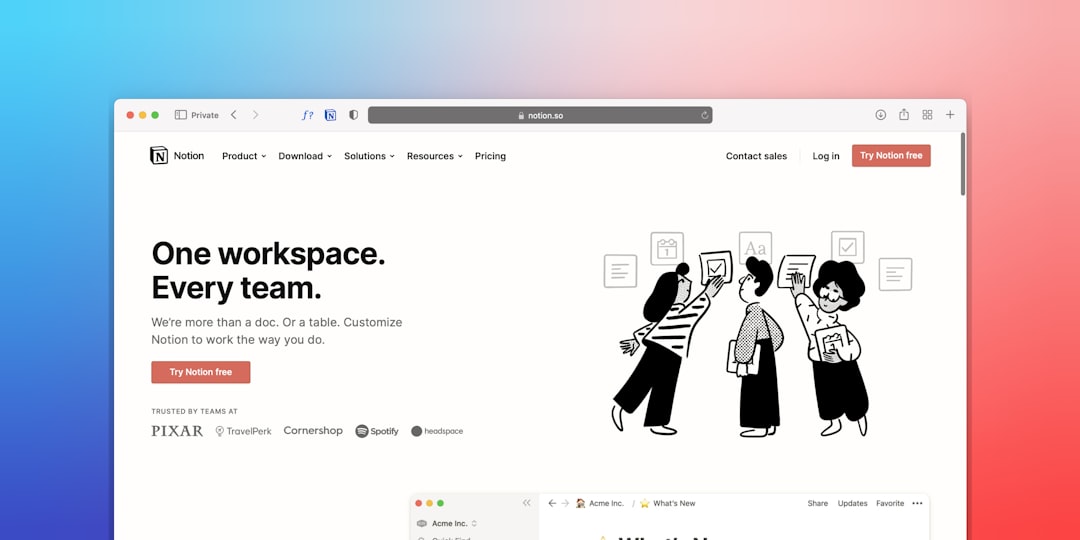
    Note the include-header class, which pulls the section under the transparent Canvas header so the hero bleeds to the top of the viewport — a detail many first-time Canvas users miss.

    Building the Amenities and Features Grid

    After the hero, visitors want to understand what the space offers. An icon-driven features grid answers this quickly. Canvas’s feature-box components work well here, and Bootstrap 5’s column classes give you flexible Bootstrap breakpoint tester across device sizes.

    <section id="amenities" class="section my-0 py-6 bg-light">
      <div class="container">
        <div class="row text-center mb-5">
          <div class="col-12">
            <h2 class="fw-bold ls-0">Everything You Need to Do Your Best Work</h2>
            <p class="lead op-07">High-speed internet, 24/7 access, and a community that gets things done.</p>
          </div>
        </div>
        <div class="row g-4">
          <div class="col-md-4">
            <div class="feature-box fbox-center fbox-light fbox-rounded px-4 py-5">
              <div class="fbox-icon mb-3">
                <i class="bi-wifi h2"></i>
              </div>
              <h3 class="nott fw-semibold">1 Gbps Wi-Fi</h3>
              <p class="op-07">Dedicated fibre connection with failover, so you never miss a deadline.</p>
            </div>
          </div>
          <div class="col-md-4">
            <div class="feature-box fbox-center fbox-light fbox-rounded px-4 py-5">
              <div class="fbox-icon mb-3">
                <i class="bi-door-open h2"></i>
              </div>
              <h3 class="nott fw-semibold">24/7 Access</h3>
              <p class="op-07">Key fob entry means you work on your schedule, not ours.</p>
            </div>
          </div>
          <div class="col-md-4">
            <div class="feature-box fbox-center fbox-light fbox-rounded px-4 py-5">
              <div class="fbox-icon mb-3">
                <i class="bi-camera-video h2"></i>
              </div>
              <h3 class="nott fw-semibold">Video-Ready Meeting Rooms</h3>
              <p class="op-07">Bookable rooms with 4K displays and professional audio setups.</p>
            </div>
          </div>
        </div>
      </div>
    </section>

    If your client wants to extend this section into a tab-based layout separating “Hot Desking”, “Private Offices”, and “Meeting Rooms”, the approach in Bootstrap 5 Accordion and Tabs: Interactive Content Without JavaScript covers the exact pattern using Bootstrap 5’s built-in tab component.

    MacBook Pro turned-on on brown wooden surface
    Photo by Rumman Amin on Unsplash

    Adding a Membership Pricing Section

    Pricing transparency is a conversion driver for co-working spaces. Visitors who can’t find pricing quickly will simply look at a competitor. Canvas includes several pricing table styles out of the box. The key is keeping the structure to three tiers maximum — Hot Desk, Dedicated Desk, and Private Office — and highlighting the recommended plan with a visual accent.

    Apply your brand colour through the Canvas variable rather than hardcoded hex values:

    :root {
      --cnvs-themecolor: #2563eb;
      --cnvs-themecolor-rgb: 37, 99, 235;
    }

    This ensures that any Canvas component that references –cnvs-themecolor — buttons, active states, icon colours — updates globally from a single declaration. For a deeper look at pricing table layout options specific to Canvas, the post on Canvas Pricing Tables: Design Options That Convert Visitors is directly relevant here.

    Booking and Contact Form Integration

    A co-working website’s primary conversion goal is booking a tour or enquiry. Canvas’s contact section components provide a clean starting point, and because Canvas is static HTML, you’ll need a form backend. Common choices in 2025 include Formspree, Netlify Forms, or a lightweight PHP mailer if the site is hosted on a server.

    Here’s a minimal, accessible enquiry form using Bootstrap 5’s form classes as Canvas uses them:

    <section id="contact" class="section my-0 py-6">
      <div class="container">
        <div class="row justify-content-center">
          <div class="col-lg-7 text-center mb-5">
            <h2 class="fw-bold ls-0">Book a Tour</h2>
            <p class="lead op-07">Come and see the space in person. We'll show you around and answer every question.</p>
          </div>
          <div class="col-lg-8">
            <form action="https://formspree.io/f/your-form-id" method="POST" class="row g-3">
              <div class="col-md-6">
                <label for="name" class="form-label">Full Name</label>
                <input type="text" id="name" name="name" class="form-control form-control-lg" required>
              </div>
              <div class="col-md-6">
                <label for="email" class="form-label">Email Address</label>
                <input type="email" id="email" name="email" class="form-control form-control-lg" required>
              </div>
              <div class="col-12">
                <label for="plan" class="form-label">Interested In</label>
                <select id="plan" name="plan" class="form-select form-select-lg">
                  <option value="hot-desk">Hot Desk</option>
                  <option value="dedicated-desk">Dedicated Desk</option>
                  <option value="private-office">Private Office</option>
                </select>
              </div>
              <div class="col-12">
                <button type="submit" class="button button-large button-rounded m-0">Request a Tour</button>
              </div>
            </form>
          </div>
        </div>
      </div>
    </section>

    Keep the form short. Name, email, and the membership tier of interest is enough to qualify a lead without creating friction.

    Performance, File Structure, and Delivering to Clients

    A co-working website build is often handed off to a non-technical client or property manager who needs to update opening hours and pricing. Before delivery, establish a clean file structure and document which sections contain editable content. Canvas’s required files are style.css, css/font-icons.css, js/plugins.min.js, and js/functions.bundle.js — keep these untouched and place any overrides in a separate custom.css file.

    Never load a separate Bootstrap CDN link. Canvas bundles Bootstrap 5 internally, and loading it twice causes style conflicts that are difficult to debug under deadline pressure.

    For broader guidance on structuring a smooth handoff, the Freelancer’s Guide to Delivering HTML Templates to Clients covers documentation, file naming, and client communication in practical detail.

    Frequently Asked Questions

    Does Canvas HTML Template include a co-working demo layout?

    Canvas does not ship a dedicated co-working niche demo, but its block sections — hero, features grid, pricing tables, gallery, and contact — cover every component a co-working website requires. The template’s flexibility means you assemble these blocks for your specific layout rather than being locked into a pre-made design.

    Should I build the co-working site as a single page or multi-page layout?

    For a single-location boutique co-working space, a single-page layout with smooth scrolling sections works well and keeps the user journey linear. Multi-page structures are better suited to operators with multiple locations, separate blog content, or a member portal. The decision ultimately depends on how much content the client needs to communicate.

    How do I apply the brand colour consistently across the Canvas layout?

    Set –cnvs-themecolor in your :root declaration inside a custom CSS file. Canvas components reference this variable internally, so updating it once cascades through buttons, active states, and icon accents across the entire layout without touching individual elements.

    Can I add a booking system or membership portal to a Canvas HTML site?

    Canvas is a static HTML template, so booking and membership functionality requires a third-party integration. Common approaches include embedding a tool like Calendly or Acuity for tour bookings, and using a SaaS platform like Cobot or Nexudus for member management. These are typically embedded via iframe or JavaScript snippet into the relevant Canvas page section.

    How can Canvas Builder speed up a co-working website build?

    Canvas Builder generates production-ready Canvas HTML sections based on a prompt describing your layout requirements. For a co-working project, you can generate a hero, amenities grid, and pricing section in minutes rather than manually referencing the Canvas documentation and assembling markup by hand — particularly useful when working to a tight client deadline.

    If you’re working with the Canvas HTML Template and want to generate production-ready layouts faster, try Canvas Builder free and see how much time you save on every project.

  • Food Tech Website Design Trends and Best Practices for 2026

    Food Tech Website Design Trends and Best Practices for 2026

    Food technology is one of the fastest-growing verticals in digital product design, and the websites representing these brands in 2026 face a unique challenge: they need to communicate scientific credibility, consumer trust, and appetising visual appeal — all at once. Whether you are building for a restaurant tech startup, a meal-kit platform, or an alternative protein company, the design decisions you make now will determine how quickly visitors convert.

    Key Takeaways

    • Food tech websites in 2026 must balance scientific authority with warm, appetite-driven visual language — neither alone is sufficient.
    • Performance and mobile-first layout are non-negotiable, especially for restaurant tech platforms where users arrive mid-decision on a phone.
    • Interactive elements such as modals, tabs, and animated data visualisations are now expected in the food tech space, not optional extras.
    • Using a production-ready HTML framework like the Canvas HTML Template with an AI layout tool significantly reduces the time from wireframe to live site.

    Why Food Tech Website Design Is a Different Discipline

    A standard SaaS landing page can afford to be minimal and text-heavy because the product is abstract. Food tech cannot. Visitors to a restaurant tech website or a food delivery platform carry immediate sensory expectations — they expect colour, warmth, and imagery that triggers an appetite response within two seconds of landing. At the same time, investors, retail buyers, and B2B clients visiting the same URL expect charts, certifications, and case study evidence. That dual audience is what makes food tech website design genuinely difficult to execute well.

    The solution in 2026 is modular page architecture: hero sections and above-the-fold content serve the consumer eye with rich visuals, while scrolling reveals structured data, testimonials, and proof-point sections aimed at decision-makers. This is not a new idea, but the execution bar has risen considerably.

    a person using a cell phone and a laptop on a table
    Photo by Marielle Ursua on Unsplash

    The Visual Language Dominating Food Tech in 2026

    Several distinct visual directions have emerged across leading food tech brands this year.

    1. Bioluminescent colour palettes — deep teals, electric greens, and warm ambers that reference both organic ingredients and laboratory innovation simultaneously.
    2. Macro food photography combined with data overlays — a close-up of a grain or protein cell with nutritional or sustainability data superimposed in a clean sans-serif typeface.
    3. Dark backgrounds with warm accent tones — a pattern that, as explored in dark mode fitness dashboard and website design trends for 2026, has crossed from fitness into food tech as a signal of premium positioning.
    4. Illustrated iconography replacing stock photography for feature sections, giving brands a proprietary visual identity that stock libraries cannot replicate.

    When implementing these palettes in Canvas, always define your brand colour through the correct CSS variables generator. Do not target Bootstrap variables directly.

    :root {
      --cnvs-themecolor: #2D8A5F;
      --cnvs-themecolor-rgb: 45, 138, 95;
      --cnvs-primary-font: 'DM Sans', sans-serif;
      --cnvs-secondary-font: 'Fraunces', serif;
    }

    Using –cnvs-themecolor ensures your brand colour propagates through buttons, links, and interactive states across the entire Canvas component library without needing to override individual selectors.

    Restaurant Tech Website Layout Patterns That Convert

    Restaurant tech platforms — think reservation systems, kitchen management software, or ghost kitchen operators — need layouts that communicate speed and reliability above all else. The following Bootstrap 5 grid pattern, available inside Canvas, works particularly well for a three-value-proposition row above a demo CTA:

    Order in 60 Seconds

    Streamlined checkout reduces abandonment by 34% on average.

    Allergy-Safe Filtering

    Real-time menu filtering across 14 dietary categories.

    Live Kitchen Analytics

    Monitor throughput, waste, and margin in a single dashboard.

    Notice the use of Bootstrap 5’s g-4 gutter class and col-lg-4 columns — Canvas ships with Bootstrap 5 bundled, so there is no need to load any third-party Bootstrap CDN stylesheet alongside it.

    fried potato with yellow and red dips
    Photo by Jonathan Tsoi on Unsplash

    Interactive Elements That Food Tech Sites Need in 2026

    Static pages no longer communicate the complexity of a modern food tech product effectively. The interactive elements that perform best in this niche in 2026 are:

    • Ingredient or process explainer modals — triggered by clicking a product ingredient or a supply chain node, revealing detailed sourcing or nutritional information without navigating away. The Bootstrap 5 modal implementation covered in Bootstrap 5 modal components and popup dialogues is directly applicable here.
    • Tabbed comparison sections — particularly for platforms offering tiered plans or comparing their product against conventional alternatives (e.g. plant-based vs animal protein nutrition panels).
    • Animated SVG data visualisations — calorie breakdowns, carbon footprint comparisons, or supply chain maps that animate on scroll using Canvas’s built-in scroll reveal utilities.
    • Sticky “Book a Demo” bars — fixed to the bottom of the viewport on mobile, ensuring the primary B2B conversion action is always accessible regardless of scroll depth.

    For a sticky CTA bar in Canvas, a minimal implementation looks like this:

    The d-block d-lg-none classes ensure this bar appears only on mobile, where screen real estate is limited and a persistent CTA adds the most conversion value.

    Performance, Accessibility, and Trust Signals

    Food tech companies handling dietary data, payment processing, or health claims face heightened scrutiny from regulators and cautious consumers alike. Your website design must make trust visible, not just implied.

    In practice, this means:

    • Displaying certification badges (organic, B Corp, ISO, FDA compliance) in a dedicated trust bar immediately below the hero — not buried in the footer.
    • Using WCAG 2.2 AA colour contrast ratios throughout, especially for any nutritional or allergen information. The px to rem converter is useful for ensuring font sizes remain accessible and scalable across devices.
    • Core Web Vitals scores above 90 on mobile. This means lazy-loading all food photography, serving next-gen image formats (WebP/AVIF), and deferring non-critical scripts. Canvas’s js/plugins.min.js and js/functions.bundle.js are already minified and bundled — avoid adding unoptimised third-party scripts that undermine this.
    • A clear, prominent privacy policy link near any form, particularly for platforms collecting dietary preferences or health data.

    Building Food Tech Sites Faster with Canvas and AI

    The complexity of food tech website design — dual audiences, rich media, interactive components, trust requirements — makes it one of the most time-intensive niches to build from scratch. Using Canvas Builder to generate production-ready Canvas HTML layouts via AI prompts dramatically compresses the prototyping phase.

    A well-structured AI prompt for a food tech hero section might specify: dark background, a macro food image on the right, a headline in Fraunces serif, a subheadline in DM Sans, one primary CTA button in the brand green, and a trust badge row below. Canvas Builder outputs correctly structured Canvas HTML using the right classes, variables, and JS file references — not a generic Bootstrap scaffold that requires extensive rework.

    For agencies managing multiple food and hospitality clients, the workflow efficiencies compound. The approach mirrors patterns described in the Canvas HTML Template for agencies: workflows, prompts, and best practices guide, which covers how to structure repeatable client delivery systems around a single HTML template.

    The food website trends 2026 landscape rewards speed of iteration. Brands that can test three different hero layouts in the time it used to take to build one will outpace slower-moving competitors on conversion optimisation alone.

    Frequently Asked Questions

    What makes food tech website design different from a standard restaurant website?

    A traditional restaurant website primarily serves local discovery — menus, opening hours, reservation links. A food tech website must simultaneously address consumer appeal, investor credibility, B2B sales, and often regulatory compliance. The information architecture, visual hierarchy, and interactive elements required are considerably more complex.

    Which colour palettes work best for food tech websites in 2026?

    The dominant directions in 2026 are bioluminescent greens and teals paired with warm amber accents for brands emphasising sustainability and natural ingredients, and dark charcoal or near-black backgrounds with high-contrast warm tones for premium or enterprise-positioned products. Avoid the overly saturated fast-food palette — it signals low price point rather than innovation.

    How should I handle the dual audience problem — consumers and B2B buyers?

    Structure your page vertically: lead with visually rich, emotionally engaging content above the fold for consumer appeal, then transition to proof-point sections — case studies, ROI statistics, compliance certifications — as the user scrolls. A clear navigation split between “For Consumers” and “For Business” or “For Partners” also helps route different visitors efficiently.

    Is Bootstrap 5 suitable for food tech websites or should I use a different framework?

    Bootstrap 5 is an excellent foundation for food tech websites, particularly when paired with a feature-rich template like Canvas. It provides a reliable responsive grid, accessible components, and wide browser support. The key is extending it with custom CSS variables and component-level customisation rather than fighting its defaults.

    How do I optimise a food tech website for Core Web Vitals given the heavy use of food photography?

    Serve all images in WebP or AVIF format, use the loading=”lazy” attribute on all below-fold images, and define explicit width and height attributes to prevent layout shift. Use a CDN for image delivery, compress files to under 150KB where possible, and avoid loading multiple large hero images — use a single hero image with CSS for any overlay effects.

    If you’re working with the Canvas HTML Template and want to generate production-ready layouts faster, try Canvas Builder free and see how much time you save on every project.

  • Web3 Website Design: What Separates Good from Great in 2026

    Web3 Website Design: What Separates Good from Great in 2026


    Web3 Website Design: What Separates Good from Great in 2026

    The bar for web3 website design has never been higher — and the gap between projects that convert and projects that confuse has never been wider. In 2026, a slick gradient and an animated logo aren’t enough. Users have been burned by rug pulls, drained by scammy UIs, and exhausted by onboarding flows that require a PhD in crypto.

    Great blockchain website design earns trust in the first five seconds, then keeps earning it. This post breaks down exactly what that looks like — with real code you can use today.


    Key Takeaways

    • Trust signals come first. Web3 users are skeptical by default. Design that earns credibility outperforms design that just looks cool.
    • Wallet connection UX is a make-or-break moment. Friction here costs you users, not just conversions.
    • Dark mode is expected, not optional — but it needs to be done properly.
    • Glassmorphism and neon are still relevant in 2026, but only when they serve hierarchy, not distraction.
    • Performance beats visual complexity. A 3-second load on a crypto landing page is a death sentence.
    • Accessible, copy-ready HTML components — not custom frameworks — are the fastest path to a production-ready crypto website.

    logo
    Photo by Mariia Shalabaieva on Unsplash

    Trust-First Design: Why Credibility Is Your #1 Asset

    Web3 users arrive pre-skeptical. They’ve seen the exit scams, the anonymous teams, the tokenomics designed to enrich founders. Your design has to counter that instinct immediately.

    What trust-first design actually looks like in 2026:

    • Doxxed team sections with real LinkedIn profiles and photos — not cartoon avatars
    • Audit badges (Certik, Hacken, OpenZeppelin) displayed prominently above the fold, not buried in the footer
    • Token distribution charts rendered cleanly and accessibly
    • GitHub links next to your smart contract addresses

    Here’s a clean Bootstrap 5 trust-badge row you can drop directly into your hero or above-fold section:

    <!-- Trust Badge Row: Bootstrap 5 -->
    <div class="d-flex flex-wrap gap-3 align-items-center justify-content-center my-4">
      <a href="https://certik.com" target="_blank" rel="noopener" 
         class="badge bg-dark border border-success text-success px-3 py-2 fs-6 text-decoration-none">
        ✅ Audited by CertiK
      </a>
      <a href="https://github.com/yourproject" target="_blank" rel="noopener"
         class="badge bg-dark border border-info text-info px-3 py-2 fs-6 text-decoration-none">
        <svg xmlns="http://www.w3.org/2000/svg" width="16" height="16" fill="currentColor" 
             class="bi bi-github me-1" viewBox="0 0 16 16">
          <path d="M8 0C3.58 0 0 3.58 0 8c0 3.54 2.29 6.53 5.47 7.59.4.07.55-.17.55-.38
                   0-.19-.01-.82-.01-1.49-2.01.37-2.53-.49-2.69-.94-.09-.23-.48-.94-.82-1.13
                   -.28-.15-.68-.52-.01-.53.63-.01 1.08.58 1.23.82.72 1.21 1.87.87 2.33.66
                   .07-.52.28-.87.51-1.07-1.78-.2-3.64-.89-3.64-3.95 0-.87.31-1.59.82-2.15
                   -.08-.2-.36-1.02.08-2.12 0 0 .67-.21 2.2.82.64-.18 1.32-.27 2-.27
                   .68 0 1.36.09 2 .27 1.53-1.04 2.2-.82 2.2-.82.44 1.1.16 1.92.08 2.12
                   .51.56.82 1.27.82 2.15 0 3.07-1.87 3.75-3.65 3.95.29.25.54.73.54 1.48
                   0 1.07-.01 1.93-.01 2.2 0 .21.15.46.55.38A8.012 8.012 0 0 0 16 8c0-4.42-3.58-8-8-8z"/>
        </svg>
        Open Source
      </a>
      <span class="badge bg-dark border border-warning text-warning px-3 py-2 fs-6">
        🔒 Non-Custodial
      </span>
    </div>
    

    Wallet Connection UX: Get This Wrong and You Lose Everyone

    The wallet connection moment is the single highest-friction point in any crypto website 2026 experience. Most projects treat it like an afterthought. Great ones design it like a product.

    The pattern that works:

    1. Explain before you ask. A one-liner about what connecting your wallet does (and doesn’t do) reduces bounce.
    2. Support multiple providers. MetaMask, WalletConnect, Coinbase Wallet — show them all.
    3. Show wallet state clearly. Connected address, network, and balance in the nav — not hidden in a dropdown.

    <!-- Wallet Connect CTA: Bootstrap 5 Dark Theme -->
    <div class="card bg-dark border border-secondary rounded-4 p-4 text-center" 
         style="max-width: 400px; margin: 0 auto;">
      <div class="mb-3">
        <span class="fs-1">🔐</span>
      </div>
      <h5 class="text-white mb-1">Connect Your Wallet</h5>
      <p class="text-secondary small mb-4">
        Read-only access. We never store your keys or request signing 
        unless you initiate a transaction.
      </p>
      <div class="d-grid gap-2">
        <button class="btn btn-outline-warning rounded-3 py-2 fw-semibold">
          🦊 MetaMask
        </button>
        <button class="btn btn-outline-primary rounded-3 py-2 fw-semibold">
          🔗 WalletConnect
        </button>
        <button class="btn btn-outline-info rounded-3 py-2 fw-semibold">
          💙 Coinbase Wallet
        </button>
      </div>
      <p class="text-muted mt-3" style="font-size: 0.7rem;">
        By connecting, you agree to our 
        <a href="/terms" class="text-muted">Terms of Service</a>
      </p>
    </div>
    

    gold round coin on black surface
    Photo by Kanchanara on Unsplash

    Dark Mode & Glassmorphism Done Right

    In 2026, dark mode is a baseline expectation for blockchain website design. What separates average from excellent is how it’s executed. Pure black (#000000) backgrounds create eye strain and make glassmorphism elements look muddy. The sweet spot is a deep navy or near-black with blue undertones — typically #0a0f1e or #080d1a.

    Glassmorphism still works when used with restraint: cards, Bootstrap modal, and stats panels. Not the entire page.

    <!-- Glassmorphism Stats Card: Works on gradient/image backgrounds -->
    <style>
      .glass-card {
        background: rgba(255, 255, 255, 0.05);
        backdrop-filter: blur(12px);
        -webkit-backdrop-filter: blur(12px);
        border: 1px solid rgba(255, 255, 255, 0.1);
        border-radius: 1rem;
        padding: 1.5rem;
        color: #fff;
        transition: transform 0.2s ease, box-shadow 0.2s ease;
      }
      .glass-card:hover {
        transform: translateY(-4px);
        box-shadow: 0 8px 32px rgba(99, 102, 241, 0.25);
      }
      .stat-value {
        font-size: 2rem;
        font-weight: 700;
        background: linear-gradient(135deg, #818cf8, #38bdf8);
        -webkit-background-clip: text;
        -webkit-text-fill-color: transparent;
        background-clip: text;
      }
    </style>
    
    <div class="row g-3">
      <div class="col-md-4">
        <div class="glass-card">
          <div class="stat-value">$2.4B</div>
          <div class="text-secondary small mt-1">Total Value Locked</div>
        </div>
      </div>
      <div class="col-md-4">
        <div class="glass-card">
          <div class="stat-value">148K</div>
          <div class="text-secondary small mt-1">Active Wallets</div>
        </div>
      </div>
      <div class="col-md-4">
        <div class="glass-card">
          <div class="stat-value">99.9%</div>
          <div class="text-secondary small mt-1">Uptime (365d)</div>
        </div>
      </div>
    </div>
    

    For a deeper dive into how CSS frameworks affect component decisions like this, the Bootstrap 5 vs Tailwind CSS comparison is worth reading — the tradeoffs apply directly to Web3 UI work.


    Tokenomics & Roadmap: Structure Over Decoration

    These two sections are where most Web3 projects lose trust through poor design. Tokenomics buried in a wall of text, or a roadmap that’s just floating circles connected by dotted lines — these patterns signal amateur hour.

    What works in 2026:

    Tokenomics: Use a horizontal progress-bar layout that doubles as a visual distribution chart. Clean, readable, no chart.js dependency required.

    <!-- Token Distribution: Bootstrap 5 Progress Bars -->
    <div class="p-4 rounded-4 bg-dark border border-secondary">
      <h5 class="text-white mb-4">Token Distribution</h5>
    
      <div class="mb-3">
        <div class="d-flex justify-content-between text-secondary small mb-1">
          <span>Community Rewards</span>
          <span>40%</span>
        </div>
        <div class="progress" style="height: 10px; border-radius: 99px;">
          <div class="progress-bar bg-info" style="width: 40%;"></div>
        </div>
      </div>
    
      <div class="mb-3">
        <div class="d-flex justify-content-between text-secondary small mb-1">
          <span>Ecosystem & Development</span>
          <span>25%</span>
        </div>
        <div class="progress" style="height: 10px; border-radius: 99px;">
          <div class="progress-bar" style="width: 25%; background: #818cf8;"></div>
        </div>
      </div>
    
      <div class="mb-3">
        <div class="d-flex justify-content-between text-secondary small mb-1">
          <span>Team & Advisors <span class="text-warning">(2yr vest)</span></span>
          <span>15%</span>
        </div>
        <div class="progress" style="height: 10px; border-radius: 99px;">
          <div class="progress-bar bg-warning" style="width: 15%;"></div>
        </div>
      </div>
    
      <div class="mb-0">
        <div class="d-flex justify-content-between text-secondary small mb-1">
          <span>Treasury Reserve</span>
          <span>20%</span>
        </div>
        <div class="progress" style="height: 10px; border-radius: 99px;">
          <div class="progress-bar bg-success" style="width: 20%;"></div>
        </div>
      </div>
    </div>
    

    Roadmap tip: Use a timeline that shows what’s shipped versus what’s planned with visual differentiation — completed items in solid color, upcoming items in a muted/dashed style. Vague “Q3 2026: Major Features” entries destroy credibility faster than having no roadmap.


    Performance: The Most Underrated Web3 Design Decision

    Heavy three.js backgrounds, animated particle fields, and looping WebGL effects are everywhere in web3 website design. They’re also frequently responsible for 8-second time-to-interactive scores and 40% bounce rates on mobile.

    The 2026 standard: design intent first, animations second.

    Rules that actually ship fast, production-ready sites:

    • Defer all animation libraries. Load them after the core content is interactive.
    • Use CSS animations over JavaScript for hero effects wherever possible.
    • Lazy-load video backgrounds. The loading="lazy" attribute on <video> isn’t supported everywhere — use Intersection Observer instead.
    • Audit your wallet SDK bundle size. Some Web3 connection libraries add 300–500KB. Use tree-shaking.

    A CSS-only animated gradient hero that loads instantly and doesn’t require any JS:

    <style>
      @keyframes gradientShift {
        0%   { background-position: 0% 50%; }
        50%  { background-position: 100% 50%; }
        100% { background-position: 0% 50%; }
      }
    
      .web3-hero {
        min-height: 100vh;
        display: flex;
        align-items: center;
        justify-content: center;
        background: linear-gradient(-45deg, #0a0f1e, #0d1f4e, #1a0a3e, #0a1a2e);
        background-size: 400% 400%;
        animation: gradientShift 12s ease infinite;
        text-align: center;
        padding: 2rem;
      }
    
      .web3-hero h1 {
        font-size: clamp(2rem, 6vw, 4.5rem);
        font-weight: 800;
        color: #fff;
        letter-spacing: -0.02em;
        line-height: 1.1;
      }
    
      .web3-hero .gradient-text {
        background: linear-gradient(135deg, #818cf8 0%, #38bdf8 50%, #34d399 100%);
        -webkit-background-clip: text;
        -webkit-text-fill-color: transparent;
        background-clip: text;
      }
    </style>
    
    <section class="web3-hero">
      <div>
        <h1>The Future of<br>
          <span class="gradient-text">Decentralized Finance</span>
        </h1>
        <p class="text-secondary mt-3 mb-4" 
           style="font-size: 1.15rem; max-width: 520px; margin-inline: auto;">
          Permissionless. Non-custodial. Live on mainnet.
        </p>
        <a href="#connect" class="btn btn-lg px-5 py-3 fw-semibold rounded-pill"
           style="background: linear-gradient(135deg, #818cf8, #38bdf8); 
                  color: #fff; border: none;">
          Launch App →
        </a>
      </div>
    </section>
    

    If you’re scaffolding a full Web3 landing page and want a head start, Canvas Builder’s AI HTML generator can produce the base structure in minutes — you’d spend your time on the Web3-specific trust and UX layers, not boilerplate.


    Copy & CTAs: The Undervalued Half of Great Design

    Design carries the eye. Copy closes the deal. The two most common failures in Web3 CTAs in 2026:

    1. “Connect Wallet” as the primary above-fold CTA — before explaining what the product does
    2. Jargon overload — AMM, zkEVM, LSD, LST in the hero headline without context

    What actually converts:

    • Lead with the outcome, not the mechanism. “Earn 12% on your idle USDC” beats “Provide liquidity to our AMM pools.”
    • Use progressive disclosure. Casual users in the hero, technical details in docs/FAQ.
    • CTAs should state what happens next: “Launch App” > “Enter” > “Get Started”

    For projects building out a full pricing or staking tier structure, see how Canvas pricing table components handle tiered CTAs — the same conversion logic applies to Web3 staking tiers and membership levels.


    Frequently Asked Questions

    1. What makes a Web3 website different from a regular website to design?

    The core difference is trust architecture. Web3 users are inherently more skeptical — they need to see audits, open-source code, clear team information, and transparent tokenomics before they’ll engage. The wallet connection flow also introduces a unique UX challenge with no direct equivalent in traditional web design.

    2. Should a crypto website in 2026 use dark mode by default?

    Yes, overwhelmingly. Dark mode is the community standard in crypto and Web3. That said, provide a light mode toggle for accessibility — some users genuinely need it. Build your design system dark-first, then adapt.

    3. Do I need a custom framework or can I use Bootstrap for blockchain website design?

    Bootstrap 5 works exceptionally well for Web3 projects. The component system is mature, the dark utilities are solid, and glassmorphism effects layer cleanly on top. Custom frameworks add build complexity without meaningful design advantages unless you have a very large team.

    4. How important is mobile performance for a crypto website in 2026?

    Critical. A significant share of Web3 users access DeFi and NFT platforms on mobile. Heavy animations, large WebGL canvases, and unoptimized wallet SDKs destroy mobile performance. Design and test mobile-first; treat desktop as the enhancement.

    5. What’s the biggest mistake Web3 projects make with their website design?

    Prioritizing visual spectacle over trust signals. A project can have stunning 3D animations and still convert nobody if it doesn’t clearly communicate who built it, whether the code is audited, and what the actual product does. Trust earns conversions — aesthetics just get visitors through the door.


    Ready to Build Your Web3 Site?

    The gap between a Web3 website that looks cool and one that actually converts comes down to trust architecture, performance discipline, and UX clarity at the wallet connection moment. None of it requires exotic tools — it requires intent.

    Explore Canvas HTML Templates → — production-ready components built for exactly this kind of work. Dark mode first. Bootstrap 5 powered. Copy, customize, ship.


    Published 2026 · Tags: web3 website design, crypto website 2026, blockchain website design

    If you’re working with the Canvas HTML Template and want to generate production-ready layouts faster, try Canvas Builder free and see how much time you save on every project.

  • Pet Subscription Box Website Design: What Works in 2026

    Pet Subscription Box Website Design: What Works in 2026

    The pet e-commerce market is booming — and your pet subscription box website has about four seconds to convince a visitor they’ve found something worth paying for every month. Here’s how to design one that actually converts.

    ⚡ Key Takeaways

    • Your hero section must answer what it is, what’s inside, and how much within the first viewport.
    • Social proof (photos of real pets + unboxing clips) outperforms studio photography for conversion.
    • Tiered pricing cards with a highlighted “Best Value” plan are the single highest-ROI layout change you can make.
    • A subscription pet website in 2026 must be mobile-first — over 68% of pet product traffic arrives via phone.
    • FAQ sections reduce pre-checkout anxiety and cut support tickets simultaneously.
    • Bootstrap 5 components let you ship a polished pet box landing page fast, without writing everything from scratch.

    Designing a pet subscription box website isn’t the same as building a standard e-commerce storefront. You’re not selling a one-time product — you’re selling a recurring relationship. Visitors need to trust you before they hand over their card details, and that trust has to be established through layout, copy, social proof, and frictionless UX — all working in concert.

    In 2026, the bar is higher than ever. Competitors have polished animations, unboxing reels embedded directly in hero sections, and quiz-style personalisation flows that feel closer to an app than a website. This guide breaks down what’s actually working on the best pet box landing pages right now, with real code you can drop straight into your project.

    woman in white t-shirt and blue denim jeans sitting beside brown dog
    Photo by Nicole Calmet on Unsplash

    Hero Section Design That Hooks Pet Parents Immediately

    Your hero is doing heavy lifting. It has to communicate your brand personality, show the physical product, plant a price anchor, and push toward a CTA — all above the fold.

    The pattern that wins in 2026: a split layout with a product photo or short looping video on one side, and a tight value proposition + primary CTA on the other. Keep the copy scannable. “Monthly boxes tailored to your dog’s size, breed, and quirks. From $29/month.” That’s it.

    <!-- Bootstrap 5 split hero for a pet subscription box website -->
    <section class="hero-split py-6 bg-soft-cream">
      <div class="container">
        <div class="row align-items-center g-5">
    
          <!-- Copy column -->
          <div class="col-lg-6">
            <span class="badge bg-warning text-dark mb-3">🐾 New boxes ship every 1st</span>
            <h1 class="display-4 fw-bold lh-sm">
              Surprise Your Dog. Every. Single. Month.
            </h1>
            <p class="lead mt-3 text-muted">
              Curated treats, toys, and gear — personalised to your pup's breed and size.
              From <strong>$29/month</strong>. Cancel anytime.
            </p>
            <a href="#pricing" class="btn btn-primary btn-lg mt-4 px-5 rounded-pill">
              Start My Box →
            </a>
            <p class="text-muted small mt-2">⭐ 4.9/5 from 12,400+ subscribers</p>
          </div>
    
          <!-- Image column -->
          <div class="col-lg-6 text-center">
            <img
              src="assets/img/hero-box-open.webp"
              alt="Open pet subscription box with treats and toys"
              class="img-fluid rounded-4 shadow-lg"
              width="560"
              height="420"
              loading="eager"
            />
          </div>
    
        </div>
      </div>
    </section>

    Note the loading="eager" on the hero image — LCP (Largest Contentful Paint) matters for SEO, and lazy-loading your above-the-fold image is a common mistake that tanks Core Web Vitals scores.

    Social Proof That Actually Converts Pet Box Shoppers

    Studio photography looks beautiful in mockups. Real dogs tearing into boxes converts. The most effective social proof on a subscription pet website in 2026 combines three elements:

    • UGC photo grid — pull from Instagram or TikTok, display in a masonry layout
    • Star rating + review count — pinned near the CTA, not buried in a reviews tab
    • Short video testimonial — 15–30 seconds, autoplay muted, shows the unboxing moment

    For the review strip, a horizontally scrolling card row works well on mobile and keeps the section compact on desktop:

    <!-- Horizontal scrolling review strip -->
    <section class="reviews-strip py-5 bg-white">
      <div class="container">
        <h2 class="text-center fw-semibold mb-4">What Pet Parents Are Saying</h2>
        <div class="d-flex gap-3 overflow-auto pb-2" style="scroll-snap-type: x mandatory;">
    
          <!-- Review card -->
          <div class="card border-0 bg-light rounded-4 p-4 flex-shrink-0"
               style="width: 300px; scroll-snap-align: start;">
            <div class="d-flex align-items-center mb-3">
              <img src="assets/img/reviewer-1.webp" class="rounded-circle me-2"
                   width="44" height="44" alt="Reviewer photo">
              <div>
                <p class="fw-bold mb-0 small">Sarah M.</p>
                <p class="text-warning mb-0 small">★★★★★</p>
              </div>
            </div>
            <p class="text-muted small mb-0">
              "Biscuit literally sprints to the door on delivery day now. 
              Best $39 I spend all month."
            </p>
          </div>
    
          <!-- Repeat card for each review... -->
    
        </div>
      </div>
    </section>

    This pattern pairs naturally with Bootstrap 5’s card system — if you want to explore more card layout options, 8 Bootstrap 5 Card Components You Should Be Using Right Now is worth a read.

    Pricing Section: The Make-or-Break Moment on a Pet Box Landing Page

    Subscription pricing is inherently more complex than a one-off purchase. Visitors need to understand billing cycles, commitment length, and cancellation policy — and they need to understand all of it before clicking Buy.

    The layout that consistently outperforms in 2026: three-tier cards with a visually differentiated “Best Value” plan. A billing toggle (monthly vs. annual) adds perceived flexibility without cluttering the UI.

    <!-- Pricing toggle + three-tier cards -->
    <section id="pricing" class="pricing-section py-6 bg-soft-cream">
      <div class="container text-center">
        <h2 class="fw-bold mb-2">Pick Your Perfect Plan</h2>
        <p class="text-muted mb-4">Pause or cancel anytime. No tricks.</p>
    
        <!-- Billing toggle -->
        <div class="d-inline-flex align-items-center gap-3 mb-5 bg-white rounded-pill px-4 py-2 shadow-sm">
          <span class="small fw-semibold">Monthly</span>
          <div class="form-check form-switch mb-0">
            <input class="form-check-input" type="checkbox" id="billingToggle">
          </div>
          <span class="small fw-semibold">Annual <span class="badge bg-success">Save 20%</span></span>
        </div>
    
        <div class="row g-4 justify-content-center">
    
          <!-- Pup Plan -->
          <div class="col-md-4">
            <div class="card border-0 rounded-4 p-4 h-100 shadow-sm">
              <h3 class="h5 fw-bold">🐶 Pup Plan</h3>
              <p class="display-6 fw-bold my-3">$29<span class="fs-6 text-muted">/mo</span></p>
              <ul class="list-unstyled text-start text-muted small">
                <li class="mb-2">✅ 4–5 items per box</li>
                <li class="mb-2">✅ Breed-matched treats</li>
                <li class="mb-2">✅ Free shipping</li>
              </ul>
              <a href="/subscribe/pup" class="btn btn-outline-primary w-100 mt-auto rounded-pill">Start Pup Plan</a>
            </div>
          </div>
    
          <!-- Alpha Plan (Best Value - highlighted) -->
          <div class="col-md-4">
            <div class="card border-0 rounded-4 p-4 h-100 shadow-lg bg-primary text-white">
              <span class="badge bg-warning text-dark mb-2 align-self-start">⭐ Best Value</span>
              <h3 class="h5 fw-bold">🦴 Alpha Plan</h3>
              <p class="display-6 fw-bold my-3">$49<span class="fs-6 opacity-75">/mo</span></p>
              <ul class="list-unstyled text-start small">
                <li class="mb-2">✅ 7–9 items per box</li>
                <li class="mb-2">✅ Personalised toy selection</li>
                <li class="mb-2">✅ Member-only discounts</li>
              </ul>
              <a href="/subscribe/alpha" class="btn btn-light text-primary w-100 mt-auto rounded-pill fw-bold">Start Alpha Plan</a>
            </div>
          </div>
    
          <!-- Pack Plan -->
          <div class="col-md-4">
            <div class="card border-0 rounded-4 p-4 h-100 shadow-sm">
              <h3 class="h5 fw-bold">🐾 Pack Plan</h3>
              <p class="display-6 fw-bold my-3">$79<span class="fs-6 text-muted">/mo</span></p>
              <ul class="list-unstyled text-start text-muted small">
                <li class="mb-2">✅ 12+ premium items</li>
                <li class="mb-2">✅ Multi-pet customisation</li>
                <li class="mb-2">✅ Priority support</li>
              </ul>
              <a href="/subscribe/pack" class="btn btn-outline-primary w-100 mt-auto rounded-pill">Start Pack Plan</a>
            </div>
          </div>
    
        </div>
      </div>
    </section>

    For a deeper look at pricing table patterns that lift conversions, see Canvas Pricing Tables: Design Options That Convert Visitors.

    Personalisation Quiz Flow: The 2026 Retention Weapon

    The biggest shift in subscription pet website design between 2024 and 2026 is the rise of the onboarding quiz as a primary CTA. Instead of sending users straight to a checkout form, the best brands route visitors through a 3–5 step pet profile quiz first.

    Why it works: it creates investment before purchase. By the time someone has answered “What’s your dog’s breed?”, “How playful is she?” and “Any allergies?”, they feel like the box is already theirs. Conversion rates on quiz-gated flows consistently outperform direct CTAs by 20–35% in A/B tests.

    The quiz itself doesn’t need complex JavaScript. A simple multi-step form with hidden sections works fine for most setups:

    <!-- Multi-step pet quiz (CSS-driven, no JS framework needed) -->
    <style>
      .quiz-step { display: none; }
      .quiz-step.active { display: block; }
    </style>
    
    <div class="quiz-container card border-0 rounded-4 shadow p-5 mx-auto" style="max-width: 560px;">
    
      <!-- Step 1 -->
      <div class="quiz-step active" id="step-1">
        <p class="text-muted small mb-2">Step 1 of 3</p>
        <h3 class="fw-bold">What kind of pet are you shopping for?</h3>
        <div class="d-flex gap-3 mt-4">
          <button class="btn btn-outline-primary flex-fill py-3 rounded-4"
                  onclick="goToStep(2)">🐶 Dog</button>
          <button class="btn btn-outline-primary flex-fill py-3 rounded-4"
                  onclick="goToStep(2)">🐱 Cat</button>
        </div>
      </div>
    
      <!-- Step 2 -->
      <div class="quiz-step" id="step-2">
        <p class="text-muted small mb-2">Step 2 of 3</p>
        <h3 class="fw-bold">How big is your dog?</h3>
        <div class="d-flex flex-column gap-2 mt-4">
          <button class="btn btn-outline-secondary py-3 rounded-4" onclick="goToStep(3)">Small (under 20 lbs)</button>
          <button class="btn btn-outline-secondary py-3 rounded-4" onclick="goToStep(3)">Medium (20–50 lbs)</button>
          <button class="btn btn-outline-secondary py-3 rounded-4" onclick="goToStep(3)">Large (50+ lbs)</button>
        </div>
      </div>
    
      <!-- Step 3: Email capture -->
      <div class="quiz-step" id="step-3">
        <p class="text-muted small mb-2">Step 3 of 3</p>
        <h3 class="fw-bold">Where should we send your box details?</h3>
        <input type="email" class="form-control form-control-lg mt-4 mb-3" placeholder="Your email address">
        <button class="btn btn-primary btn-lg w-100 rounded-pill">See My Personalised Box →</button>
        <p class="text-muted small text-center mt-2">No spam. Just your box.</p>
      </div>
    
    </div>
    
    <script>
      function goToStep(n) {
        document.querySelectorAll('.quiz-step').forEach(el => el.classList.remove('active'));
        document.getElementById('step-' + n).classList.add('active');
      }
    </script>

    Mobile-First Layout: Non-Negotiable for a Subscription Pet Website in 2026

    Over 68% of pet product e-commerce traffic is mobile. Your pet box landing page must be designed phone-first, then scaled up to desktop — not the other way around.

    Key mobile considerations for subscription sites:

    • Sticky bottom CTA bar — keeps “Subscribe Now” visible while users scroll through content
    • Touch-friendly tap targets — minimum 48×48px for all buttons and interactive elements
    • Compressed image delivery — use .webp with srcset for hero and product images
    • Single-column pricing — stack your three pricing tiers vertically on mobile, with the best-value plan first
    <!-- Sticky mobile CTA bar -->
    <div class="d-lg-none fixed-bottom bg-white border-top px-4 py-3 shadow-lg">
      <div class="d-flex align-items-center justify-content-between gap-3">
        <div>
          <p class="fw-bold mb-0 small">Alpha Plan — $49/month</p>
          <p class="text-muted mb-0 small">Cancel anytime</p>
        </div>
        <a href="#pricing" class="btn btn-primary rounded-pill px-4 flex-shrink-0">
          Subscribe
        </a>
      </div>
    </div>

    For a thorough guide on Bootstrap 5 responsive layout mechanics, Bootstrap 5 Breakpoints: How to Build Truly Responsive Layouts covers the exact breakpoint logic you’ll need.

    Trust Signals and Conversion Details That Separate Winners from the Rest

    The final 20% of conversion rate optimisation on a pet subscription box website comes from a collection of small trust signals that collectively eliminate the last objections before checkout:

    • Cancellation guarantee — make it prominent, not buried in footer fine print (“Cancel in one click. No phone calls.”)
    • Shipping timeline — “Ships on the 1st of every month” reduces “when will I get it?” anxiety
    • Pet guarantee — “Your pet doesn’t love a product? We’ll replace it.” This is a high-trust differentiator
    • Payment security badges — Stripe, PayPal, and SSL badges near the checkout button
    • As seen in press strip — even small press mentions (blogs, podcasts) add legitimacy

    A well-designed FAQ section handles objections at scale. Use Bootstrap’s accordion component to keep it compact — and consider it a conversion tool, not just a support page. For interactive component patterns without heavy JavaScript, Bootstrap 5 Accordion and Tabs: Interactive Content Without JavaScript is exactly what you need.

    <!-- Trust badge strip -->
    <section class="trust-strip py-4 border-top border-bottom">
      <div class="container">
        <div class="row g-3 text-center">
          <div class="col-6 col-md-3">
            <p class="mb-0 small fw-semibold">🔒 Secure Checkout</p>
            <p class="text-muted small mb-0">SSL encrypted</p>
          </div>
          <div class="col-6 col-md-3">
            <p class="mb-0 small fw-semibold">📦 Ships Every Month</p>
            <p class="text-muted small mb-0">On the 1st, always</p>
          </div>
          <div class="col-6 col-md-3">
            <p class="mb-0 small fw-semibold">❌ Cancel Anytime</p>
            <p class="text-muted small mb-0">One click, no calls</p>
          </div>
          <div class="col-6 col-md-3">
            <p class="mb-0 small fw-semibold">🐾 Happiness Guarantee</p>
            <p class="text-muted small mb-0">Or we replace it</p>
          </div>
        </div>
      </div>
    </section>

    Frequently Asked Questions


    The key difference is trust and commitment. A regular e-commerce site needs to win a one-time purchase. A subscription site needs to win a recurring billing relationship. That means more emphasis on social proof, cancellation guarantees, personalisation, and transparent pricing — and less emphasis on a large product catalogue.


    Three tiers is the sweet spot. One tier feels limiting, two tiers force a binary choice, and four or more tiers create decision paralysis. Always highlight your middle or best-value tier visually — it anchors visitors and drives them toward your most profitable subscription level.


    Absolutely. Bootstrap 5 gives you a reliable, well-documented component system with zero JavaScript framework lock-in. For subscription box sites — which need carousels, accordions, modals, and responsive grids — it’s an excellent foundation. Pair it with a quality HTML template and you can have a production-ready site in a fraction of the time it would take to build from scratch.


    Test both, but quiz-gated flows typically outperform direct CTAs by 20–35% for subscription products because they create psychological investment before the purchase decision. The quiz also captures segmentation data that helps you personalise follow-up emails, which further improves lifetime value.


    Critical. Google’s Core Web Vitals directly influence your organic rankings, and slow pages kill conversion rates — especially on mobile. Use .webp images, lazy-load everything below the fold, and keep your initial JavaScript bundle lean. A good HTML template with optimised assets can get you to a 90+ Lighthouse score out of the box.

    If you’re working with the Canvas HTML Template and want to generate production-ready layouts faster, try Canvas Builder free and see how much time you save on every project.

  • 12 Dark Mode Fitness Dashboard & Website Trends for 2026

    12 Dark Mode Fitness Dashboard & Website Trends for 2026


    The fitness industry has always moved fast — and in 2026, its websites are keeping pace. Members no longer just want a place to find class schedules; they expect an experience that motivates them before they even step through the door. Whether you’re building a boutique gym site, an online workout platform, or a personal trainer’s digital home, the stakes for great design have never been higher.

    This guide breaks down the most important fitness website design trends shaping 2026 — with practical code you can use today. From bold typography to AI-powered personalisation, here’s what’s winning in the gym space right now.


    ⚡ Key Takeaways

    • Bold, kinetic typography is replacing static hero images as the primary attention hook on gym websites.
    • Dark-mode-first layouts project energy and reduce eye strain during evening browsing sessions.
    • Micro-interactions and progress animations drive higher engagement on workout platform dashboards.
    • AI-powered personalisation (content, class recommendations, pricing) is becoming table-stakes for fitness platforms.
    • Mobile-first, thumb-friendly navigation is non-negotiable — most fitness traffic arrives via smartphone.
    • Social proof sections (live class counts, member stats, real-time activity feeds) significantly increase trust and conversion.

    1. Bold, Kinetic Typography Takes Centre Stage

    Gone are the days of a hero image with a modest subtitle. In 2026, the best gym website designs lead with oversized, expressive type — words that practically vibrate with energy before a single photo loads. Think full-viewport headings at 96px–120px, variable-weight fonts that shift on scroll, and text animations that feel athletic, not gimmicky.

    The reasoning is simple: bold type loads faster than video backgrounds, works perfectly on mobile, and sets tone in milliseconds. Brands like Barry’s and Mirror have already proved that words are the visual.

    Here’s a minimal Bootstrap 5 hero using a display utility class and a CSS animation to give text that kinetic feel:

    <!-- Kinetic Typography Hero -->
    <section class="d-flex align-items-center justify-content-center text-center
                    bg-dark text-white" style="min-height:100vh;">
      <div class="container">
        <h1 class="display-1 fw-black text-uppercase lh-1 hero-pulse">
          Train Harder.<br>
          <span class="text-warning">Live Stronger.</span>
        </h1>
        <p class="lead mt-4 text-white-50">Join 12,000 members crushing goals every day.</p>
        <a href="#plans" class="btn btn-warning btn-lg mt-3 px-5">Start Free Trial</a>
      </div>
    </section>
    
    <style>
      @import url('https://fonts.googleapis.com/css2?family=Inter:wght@900&display=swap');
    
      .hero-pulse {
        font-family: 'Inter', sans-serif;
        animation: pulse 3s ease-in-out infinite;
      }
    
      @keyframes pulse {
        0%, 100% { letter-spacing: -0.02em; }
        50%       { letter-spacing:  0.04em; }
      }
    </style>

    Pair this pattern with Bootstrap 5 Typography: Font Sizes, Weights, and Display Classes for a deeper look at how to control hierarchy across the whole page.


    topless man holding black dumbbell
    Photo by LOGAN WEAVER | @LGNWVR on Unsplash

    2. Dark-Mode-First Layouts That Radiate Energy

    Light websites feel clinical. Dark websites feel powerful — and that psychological contrast is exactly why dark-mode-first is one of the defining fitness website design trends of 2026. Deep charcoal backgrounds (#111, #1a1a1a) paired with electric accent colours (neon green, amber yellow, hot coral) give workout platforms a visual identity that screams intensity.

    Dark mode also has practical benefits: it reduces eye strain for users browsing late at night after a session, and OLED screens render true blacks at lower battery cost — a real win given how much fitness traffic comes from mobile.

    Implementing a dark base with Bootstrap is straightforward using data-bs-theme:

    <!-- Bootstrap 5.3+ dark theme wrapper -->
    <html lang="en" data-bs-theme="dark">
    <head>
      <meta charset="UTF-8">
      <link rel="stylesheet"
        href="https://cdn.jsdelivr.net/npm/[email protected]/dist/css/bootstrap.min.css">
      <style>
        :root[data-bs-theme="dark"] {
          --bs-body-bg:    #111111;
          --bs-body-color: #f0f0f0;
          --accent:        #c8ff00; / neon lime — swap for your brand /
        }
    
        .btn-accent {
          background-color: var(--accent);
          color: #111;
          font-weight: 700;
          border: none;
        }
    
        .btn-accent:hover {
          background-color: #aadd00;
          color: #111;
        }
      </style>
    </head>
    <body>
      <!-- All Bootstrap components automatically adopt dark palette -->
      <div class="container py-5">
        <h2>Today's Classes</h2>
        <p class="text-body-secondary">Pick your session and book in seconds.</p>
        <a href="#book" class="btn btn-accent px-4">Book Now</a>
      </div>
    </body>
    </html>

    3. Micro-Interactions and Progress Animations

    On a workout platform design, every small animation is a motivational cue. A progress bar that fills when a user completes a module, a button that “bounces” on hover, a counter that increments when a milestone is hit — these micro-interactions make digital fitness feel alive.

    Research consistently shows that animated feedback increases task completion rates. Apply this to onboarding flows, challenge trackers, and class booking confirmation screens. The goal is to mirror the dopamine hit of finishing a set — right in the browser.

    Here’s a CSS-and-JS animated stat counter card using Bootstrap utilities:

    <!-- Animated Stat Card -->
    <div class="card bg-dark text-white border-0 text-center p-4" style="max-width:220px;">
      <div class="display-4 fw-bold text-warning counter" data-target="12847">0</div>
      <p class="mb-0 text-white-50 small text-uppercase">Active Members</p>
    </div>
    
    <script>
      document.querySelectorAll('.counter').forEach(counter => {
        const target = +counter.dataset.target;
        const step   = Math.ceil(target / 80);
        const tick   = () => {
          const current = +counter.innerText.replace(/,/g, '');
          if (current < target) {
            counter.innerText = Math.min(current + step, target).toLocaleString();
            requestAnimationFrame(tick);
          }
        };
        new IntersectionObserver(([entry]) => {
          if (entry.isIntersecting) tick();
        }).observe(counter);
      });
    </script>

    Stack several of these cards in a Bootstrap grid row to create a live social-proof section — member counts, classes booked this week, calories tracked. Numbers in motion tell a story that static copy never can.


    green and black barbell on black steel stand
    Photo by Andrew Valdivia on Unsplash

    4. AI Personalisation Is Reshaping Workout Platform Design

    In 2026, static class timetables feel like fax machines. The best fitness platforms now surface personalised content: “You haven’t done a leg day in 8 days” or “Your favourite instructor just dropped a new HIIT session.” This is powered by lightweight AI layers that track behaviour and adjust the UI accordingly.

    From a design perspective, this means your gym website 2026 needs to be built with dynamic content slots — sections that swap based on user state (logged in vs. new visitor, beginner vs. advanced). The layout itself doesn’t change; the content inside it does.

    This ties closely into the broader shift documented in AI Web Design in 2026: The Complete Guide for Freelancers and Agencies — worth reading for the full picture of how AI is changing front-end delivery.

    Architecturally, build your hero, feature, and CTA sections as component shells that accept data attributes:

    <!-- Personalised Welcome Banner -->
    <div class="alert alert-dark border-start border-warning border-4 rounded-0 mb-0"
         id="personal-banner"
         data-member-name="Alex"
         data-last-class="HIIT Power"
         data-days-since="3">
      <strong id="banner-greeting"></strong>
      <span id="banner-message"></span>
    </div>
    
    <script>
      const banner = document.getElementById('personal-banner');
      const name   = banner.dataset.memberName;
      const last   = banner.dataset.lastClass;
      const days   = +banner.dataset.daysSince;
    
      document.getElementById('banner-greeting').textContent = Hey ${name}! ;
      document.getElementById('banner-message').textContent  =
        days >= 3
          ? It's been ${days} days since your last session (${last}). Ready to go again?
          : Great work keeping your streak alive. Your next ${last} class starts in 2 hours.;
    </script>

    5. Mobile-First, Thumb-Friendly Navigation

    More than 70% of fitness website traffic arrives on mobile — often in the gym, between sets, with one thumb. In 2026, top workout platform designs are rethinking navigation entirely for this use case: bottom navigation bars instead of hamburger menus, large tap targets (minimum 48×48px), and swipe-gesture carousels for class browsing.

    The standard hamburger menu at the top left is the worst position for a right-handed thumb on a 6″ screen. Bottom-anchored nav — popularised by iOS apps — is making its way into mobile web. Here’s a Bootstrap-compatible bottom nav bar:

    <!-- Bottom Nav Bar (mobile only) -->
    <nav class="d-flex d-md-none fixed-bottom bg-dark border-top border-secondary
                justify-content-around align-items-center py-2"
         style="z-index:1040;">
      <a href="/" class="text-center text-white-50 text-decoration-none small">
        <div style="font-size:1.4rem;">🏠</div> Home
      </a>
      <a href="/classes" class="text-center text-white text-decoration-none small">
        <div style="font-size:1.4rem;">📅</div> Classes
      </a>
      <a href="/workouts" class="text-center text-white-50 text-decoration-none small">
        <div style="font-size:1.4rem;">🏋️</div> Workouts
      </a>
      <a href="/profile" class="text-center text-white-50 text-decoration-none small">
        <div style="font-size:1.4rem;">👤</div> Profile
      </a>
    </nav>
    
    <style>
      @media (max-width: 767.98px) {
        body { padding-bottom: 72px; }
      }
    </style>

    For responsive layout techniques underpinning this, check out Bootstrap 5 Breakpoints: How to Build Truly Responsive Layouts — it covers the exact breakpoint logic you need to show/hide components like this nav bar cleanly.


    6. Conversion-Focused Pricing and CTA Design

    All the aesthetic wins in the world mean nothing if visitors don’t convert. In 2026, the smartest gym websites combine transparent pricing with friction-reducing CTAs — free trials, no-credit-card offers, and one-click class bookings front and centre.

    Pricing tables for fitness memberships benefit from a tiered “good / better / best” layout, with the middle tier visually elevated (highlighted border, “Most Popular” badge) to anchor decision-making. Keep plans scannable: 3–4 bullet points max per tier, price prominent, CTA unmissable.

    If you’re building out the pricing section, Canvas Pricing Tables: Design Options That Convert Visitors is an excellent companion resource — it covers layout patterns proven to move visitors from browsing to buying.

    <!-- Fitness Pricing Card - "Popular" Tier -->
    <div class="card border-warning border-2 text-center shadow-lg"
         style="max-width:320px; margin:auto;">
      <div class="card-header bg-warning text-dark fw-bold text-uppercase small">
        ⚡ Most Popular
      </div>
      <div class="card-body py-4">
        <h3 class="fw-black">Pro Membership</h3>
        <div class="display-5 fw-bold my-3">
          $49<span class="fs-6 text-muted fw-normal">/mo</span>
        </div>
        <ul class="list-unstyled text-start mb-4">
          <li class="mb-2">✅ Unlimited gym access</li>
          <li class="mb-2">✅ 20+ live classes/week</li>
          <li class="mb-2">✅ Personal progress dashboard</li>
          <li class="mb-2">✅ Nutrition tracking included</li>
        </ul>
        <a href="/signup" class="btn btn-warning w-100 fw-bold">
          Start 7-Day Free Trial
        </a>
        <p class="text-muted small mt-2 mb-0">No credit card required</p>
      </div>
    </div>

    Frequently Asked Questions

    What makes a fitness website design effective in 2026?
    Effective fitness websites in 2026 combine fast-loading performance, bold visual identity (often dark-mode-first with strong accent colours), mobile-first navigation, and conversion-focused CTAs like free trial offers. The best sites also incorporate dynamic or personalised content — surfacing the right classes or programmes for each user rather than showing everyone the same homepage.

    Should a gym website use dark mode?
    Dark mode is a strong default choice for gym and fitness brands because it conveys energy, intensity, and modernity — values that align with most fitness brand identities. It also performs better on OLED screens common in newer smartphones. That said, it must be executed with high contrast; dark mode done poorly can hurt readability. Always test contrast ratios against WCAG AA standards.

    How important is mobile design for a workout platform?
    Critically important. Industry data consistently shows 65–75% of fitness website traffic arriving on mobile, and users are often on their phones in the gym — mid-session, checking schedules or logging workouts. This means large tap targets, bottom navigation patterns, minimal form fields, and fast page loads (under 2 seconds on 4G) are non-negotiable for any serious workout platform design.

    What are the best fonts for a gym website in 2026?
    Strong sans-serif and display fonts dominate the gym website space. Popular choices include Inter (variable weight, excellent for large headings), Barlow Condensed (compact and powerful), and Oswald (classic fitness feel). The key is high weight contrast — pair an ultra-bold heading font (900 weight) with a regular-weight body font for maximum hierarchy. Variable fonts are increasingly preferred because they let you control weight dynamically via CSS animations.

    How do I add AI personalisation to a fitness website without a big budget?
    Start small and client-side. Use browser localStorage to track which classes or pages a user has viewed, then show relevant “Continue where you left off” or “You might also like” sections dynamically with vanilla JavaScript. For more sophisticated personalisation, headless CMS platforms with personalisation plugins (like Contentful + Ninetailed, or Builder.io) offer affordable tiers. Full server-side AI personalisation can be layered in as the platform grows.


    The gap between a good fitness website and a great one in 2026 comes down to intention. Every font choice, every animation, every navigation decision either reinforces your brand’s energy or dilutes it. Start with the trends above, validate them against your specific audience, and iterate. The best gym websites aren’t designed once — they’re trained, just like the members who use them.


    📋 Post summary & checklist:

    If you’re working with the Canvas HTML Template and want to generate production-ready layouts faster, try Canvas Builder free and see how much time you save on every project.
  • How to Design a Premium Pet Brand Website

    How to Design a Premium Pet Brand Website

    The pet industry crossed $150 billion globally in 2023 — and it’s still
    climbing. Owners don’t just buy food and toys; they buy into a brand that
    feels worthy of their companion. That means your pet brand website
    design
    has to do more than list products. It has to communicate
    quality, warmth, and trust within the first five seconds.

    Whether you’re building from scratch or refreshing an existing
    pet product website, this guide walks you through every
    layer — visual identity, layout, copy, code — so your site sits comfortably
    in the premium tier alongside the brands your customers already love.

    🐾 Key Takeaways

    • Premium pet websites lead with emotion, not spec sheets.
    • A tight colour palette (2–3 tones) and one strong typeface pair signal confidence.
    • Full-width hero sections, generous white space, and large product imagery drive perceived value.
    • Interactive UI — tabbed ingredient panels, accordions for FAQs — reduces bounce without page bloat.
    • Mobile-first layout with Bootstrap 5 breakpoints is non-negotiable; the majority of pet-purchase traffic is mobile.
    • A clear conversion path (Shop → Learn → Trust → Buy) needs to be visible on every scroll depth.

    Start With Brand Identity, Not Templates

    Before you touch a single line of HTML, lock down three brand fundamentals: your colour palette (pick two or three tones maximum — anything more signals indecision, not richness), your typographic pairing (one display weight for headlines, one readable text face for body copy), and your photography direction (lifestyle shots of pets in natural settings, not sterile studio white-background product images). These three decisions are the DNA of every subsequent layout, spacing, and component choice on the site.

    Pet brands that skip this step end up with generic sites that could belong to any e-commerce store. A tight palette of oat, charcoal, and warm amber — for example — immediately signals “premium and natural” before the visitor reads a single word of copy. By contrast, a rainbow of accent colours and three competing typefaces reads as amateur, regardless of how polished the code is behind the scenes.

    Once those three are fixed, template selection becomes easy. A Canvas HTML
    template, for instance, ships with enough pre-built section patterns that you
    can map your palette and fonts in minutes — see
    Canvas Template Section Patterns: Building Pages Like a Pro
    for how to think about that mapping process.

    a small black and brown dog sitting on top of a bed
    Photo by Alexey Demidov on Unsplash

    Craft a Hero Section That Converts Emotion Into Clicks

    The hero on a pet product website is prime real estate. Owners need to feel
    something — affection, reassurance, aspiration — before they read a single word.
    That means a full-bleed lifestyle photograph (not a white-background product
    shot) and a headline that speaks to the pet, not the SKU.

    Structure-wise, keep it simple: one headline, one sub-line, one CTA button. Here
    is a Bootstrap 5 snippet you can drop straight into your template:

    <!-- Premium Pet Hero Section -->
    <section
      class="min-vh-100 d-flex align-items-center text-white"
      style="
        background: url('assets/img/hero-dog.jpg') center/cover no-repeat;
      "
    >
      <div class="container">
        <div class="row">
          <div class="col-lg-6">
            <span class="badge bg-warning text-dark mb-3 px-3 py-2 rounded-pill">
              New — Grain-Free Range
            </span>
            <h1 class="display-4 fw-bold lh-sm mb-4">
              Food as good as the&nbsp;love you give.
            </h1>
            <p class="lead mb-4 opacity-75">
              Vet-formulated, cold-pressed nutrition for dogs who deserve better.
            </p>
            <a href="/shop" class="btn btn-light btn-lg rounded-pill px-5">
              Shop the Range
            </a>
          </div>
        </div>
      </div>
    </section>

    Note the min-vh-100 utility — it ensures the hero fills the
    viewport on every device without a fixed pixel height that breaks on mobile.
    For a deeper dive on responsive sizing,
    Bootstrap 5 Breakpoints: How to Build Truly Responsive Layouts
    covers the logic in full.

    Design Product Cards That Feel Luxurious, Not Cluttered

    On a premium pet brand website, product cards carry the same
    weight as editorial photography. A cluttered card destroys the illusion of
    quality. The rule: one image, one name, one price, one action — nothing else
    above the fold of the card.

    <!-- Premium Pet Product Card -->
    <div class="col-md-4 mb-4">
      <div class="card border-0 shadow-sm rounded-4 overflow-hidden h-100">
    
        <!-- Product image with hover zoom -->
        <div class="overflow-hidden" style="height: 280px;">
          <img
            src="assets/img/product-kibble.jpg"
            alt="Grain-Free Adult Kibble"
            class="w-100 h-100 object-fit-cover"
            style="transition: transform .4s ease;"
            onmouseover="this.style.transform='scale(1.06)'"
            onmouseout="this.style.transform='scale(1)'"
          />
        </div>
    
        <div class="card-body p-4">
          <span class="text-muted small text-uppercase ls-2">Adult Dog</span>
          <h3 class="h5 fw-semibold mt-1 mb-2">Grain-Free Duck &amp; Sweet Potato</h3>
          <p class="text-muted small mb-3">Cold-pressed. No fillers. 28% protein.</p>
          <div class="d-flex align-items-center justify-content-between">
            <span class="fw-bold fs-5">£34.99 <small class="text-muted fw-normal fs-6">/ 5kg</small></span>
            <a href="/product/grain-free-duck" class="btn btn-dark rounded-pill px-4">
              Add to Bag
            </a>
          </div>
        </div>
    
      </div>
    </div>

    The object-fit-cover utility keeps imagery proportional regardless
    of upload dimensions — a practical necessity when clients upload their own
    product photos. If you need more card patterns for your pet product website,
    8 Bootstrap 5 Card Components You Should Be Using Right Now
    is worth bookmarking.

    Build Credibility With Smart Trust Signals

    Premium pet brands compete on trust as much as taste. Your website needs to
    surface proof points without screaming “look how legit we are.” Three areas
    that reliably move conversion rates:

    1. Vet endorsements: A short quote with a headshot and credentials
      (“Dr. Sarah Kim, BVetMed, MRCVS”) outperforms five-star review counts.
    2. Ingredient transparency: Use a tabbed panel to show
      ingredients, nutritional analysis, and sourcing stories side by side. Bootstrap
      5 tabs handle this natively with zero JavaScript — see the implementation guide
      at Bootstrap 5 Accordion and Tabs: Interactive Content Without JavaScript.
    3. Certifications row: FEDIAF compliance, organic certification
      logos, and manufacturing country flags displayed in a clean icon row beneath
      the hero.

    Here’s a minimal certification strip you can adapt:

    <!-- Trust / Certification Strip -->
    <section class="py-4 border-top border-bottom bg-light">
      <div class="container">
        <div class="row align-items-center justify-content-center g-4 text-center">
    
          <div class="col-6 col-md-2">
            <img src="assets/img/cert-organic.svg" alt="Certified Organic" height="48">
            <p class="small text-muted mt-2 mb-0">Certified Organic</p>
          </div>
    
          <div class="col-6 col-md-2">
            <img src="assets/img/cert-vet.svg" alt="Vet Approved" height="48">
            <p class="small text-muted mt-2 mb-0">Vet Approved</p>
          </div>
    
          <div class="col-6 col-md-2">
            <img src="assets/img/cert-fediaf.svg" alt="FEDIAF Compliant" height="48">
            <p class="small text-muted mt-2 mb-0">FEDIAF Compliant</p>
          </div>
    
          <div class="col-6 col-md-2">
            <img src="assets/img/cert-uk.svg" alt="Made in the UK" height="48">
            <p class="small text-muted mt-2 mb-0">Made in the UK</p>
          </div>
    
        </div>
      </div>
    </section>

    Optimise for Mobile-First Performance

    More than 65% of pet-related purchases start on mobile. A premium pet website
    that stutters on a phone loses customers to a cheaper brand that loads in two
    seconds. The baseline checklist:

    • Images: Serve WebP with <picture> fallbacks. Lazy-load anything below the fold.
    • Fonts: Self-host your chosen pair with font-display: swap — Google Fonts adds a round-trip latency hit.
    • Hero video: If you use a background video, provide a poster image and pause on mobile via a matchMedia check.
    • Touch targets: Buttons should be at least 44 × 44 px. The Bootstrap btn-lg class hits this by default.
    <!-- Responsive lazy-loaded product image -->
    <picture>
      <source
        srcset="assets/img/product-kibble.webp"
        type="image/webp"
      />
      <img
        src="assets/img/product-kibble.jpg"
        alt="Grain-Free Duck & Sweet Potato kibble bag"
        class="img-fluid rounded-4"
        loading="lazy"
        width="600"
        height="600"
      />
    </picture>

    Write Copy That Speaks to the Owner — and the Pet

    Pet owners anthropomorphise. They don’t buy food; they cook for their dog. Your
    copy has to honour that emotional reality. A few principles that consistently
    outperform generic e-commerce copy on premium pet product websites:

    • Lead with outcome, not ingredient: “Shinier coat in 30 days”
      beats “Contains omega-3 fatty acids.”
    • Use the pet’s name slot: “Made for dogs like [NAME]” in a
      personalisation field is a lightweight engagement driver with outsized results.
    • Avoid clinical detachment: “Scientifically formulated” reads
      cold. “Developed with vets who own dogs” reads warm and credible.
    • CTA language: “Add to Bag” outperforms “Buy Now” in premium
      segments because it implies leisure, not urgency.

    The same principle applies to your subscription or free-trial offers.
    If your pet brand runs a starter box or trial programme, reducing friction in the
    sign-up flow is critical — the guidance at
    Free Trial Landing Page: Copy and Design That Reduce Friction
    translates cleanly to the pet subscription model.

    Design a Subscription Experience That Drives Repeat Purchases

    Premium pet brands increasingly rely on subscription revenue — auto-ship kibble, monthly treat boxes, seasonal grooming kits. The subscription sign-up flow is where most pet websites lose the most qualified traffic. A visitor who has already decided they like your product should not face a five-step checkout to start a recurring order.

    The design principles that work here mirror the broader premium positioning: simplicity, transparency, and perceived effort. Present three plan tiers (not seven — analysis paralysis kills conversion on mobile). Show the per-day or per-meal cost next to the monthly total (“£1.16/day” beside “£34.99/month”) to reframe the price as trivial rather than significant. Include a one-line cancellation promise (“Cancel or pause anytime — no phone call required”) directly under the CTA button, not buried in a footnote.

    On the technical side, use a Bootstrap 5 stepper component inside a card to walk the user through plan → dog profile → delivery schedule → payment. Each step should feel like a continuation, not a new page load — this is where single-page interactivity (tab or accordion navigation) dramatically reduces drop-off compared to multi-page funnels. The Canvas template includes stepper patterns that handle this cleanly, or you can use a simple card-with-tabs approach as shown in the Bootstrap 5 Card Components guide.

    Post-purchase, surface the subscription management panel prominently in the customer dashboard. Let owners swap recipes, adjust delivery frequency, or skip a month with a single click. The easier it is to modify, the less likely they are to cancel outright — and that reduction in churn is worth more than any amount of new-customer acquisition spend.

    Frequently Asked Questions


    Premium pet websites combine three things: restraint (white space, a
    tight palette, one hero typeface), emotional photography that centres
    the pet, and copy that respects the owner’s intelligence. Anything that
    feels rushed — inconsistent spacing, mixed fonts, stock photography —
    signals mass-market.


    Earthy, muted palettes — oat, stone, sage, terracotta — consistently
    outperform bright primaries in user testing for premium pet brands.
    They read as natural, artisan, and trustworthy. Reserve one accent
    colour (warm amber or deep teal) for CTAs only.


    Three to six is the sweet spot. Fewer than three looks like a start-up
    with limited range; more than six starts to resemble a supermarket aisle.
    Curate ruthlessly — show your hero products, then link to the full
    catalogue. Scarcity of choice signals confidence.


    For the hero section and product close-ups, custom photography is
    practically mandatory at the premium tier — stock pet images are
    immediately recognisable and undermine brand authenticity. Stock is
    acceptable for supporting editorial sections or blog imagery, but
    invest in a one-day shoot for your core assets.


    Absolutely. A well-structured template like Canvas gives you a
    production-ready component library — carousels, product cards,
    testimonial sections, and more — that you customise with your brand
    palette and typography. The key is discipline: strip out any
    components that don’t serve your brand story, and the result is
    indistinguishable from a fully bespoke build at a fraction of the cost.


    If you’re working with the Canvas HTML Template and want to generate production-ready layouts faster, try Canvas Builder free and see how much time you save on every project.

  • Mental Health Platform Website Design Best Practices

    Mental Health Platform Website Design Best Practices

    Key Takeaways

    • Calm, high-contrast color palettes build trust before a user reads a single word.
    • WCAG 2.1 AA accessibility is non-negotiable for mental health audiences.
    • Mobile-first layouts ensure care-seekers can reach you from any device, anywhere.
    • Privacy-first CTAs reduce friction and increase booking conversions.
    • Structured content hierarchy guides emotionally vulnerable users without overwhelming them.

    People searching for mental health support are often in a vulnerable moment. They may be anxious, overwhelmed, or uncertain. When they land on your therapy platform website, the design itself communicates safety, trust, and competence before any words are read. That’s a heavy responsibility — and a meaningful opportunity.

    Whether you’re building a teletherapy marketplace, a private practice site, or a corporate wellness portal, these mental health website design best practices will help you create an experience that actually helps people take the next step.

    Color and Typography That Signal Safety

    Mental health website design leans on psychology from the first pixel. Cool blues, soft greens, warm off-whites, and muted earth tones consistently outperform bold primaries in user trust studies for wellness contexts. Avoid high-energy palettes — red urgency cues or aggressive oranges can heighten anxiety rather than soothe it.

    Practical color palette approach:

    
    <section class="py-5" style="background-color: #f0f4f8;">
      <div class="container">
        
        <p class="lead mt-3" style="color: #5a7a8a;">
          Book a confidential session with a licensed therapist — 
          available today.
        </p>
        <a href="#book" class="btn btn-lg mt-3 px-5 py-3"
           style="background-color: #4a8b7f; color: #fff; border-radius: 50px;">
          Find My Therapist
        </a>
      </div>
    </section>

    For typography, prioritize legibility over personality. A clean sans-serif like Inter or Nunito at 17–18px body size, with generous line-height (1.7–1.8), reduces cognitive load. Avoid decorative scripts — they read as frivolous in a clinical wellness context. For a deeper dive into font hierarchy, see our guide on Bootstrap 5 Typography: Font Sizes, Weights, and Display Classes.


    text
    Photo by Matthew Ball on Unsplash

    Accessibility and WCAG Compliance Are Mandatory

    Mental health audiences skew toward users with anxiety disorders, ADHD, depression, and other conditions that affect how people interact with screens. Accessibility on a therapy platform website isn’t a checkbox — it’s the ethical floor.

    WCAG 2.1 AA minimums for mental health platforms:

    • Color contrast ratio: 4.5:1 for body text, 3:1 for large text
    • Focus indicators: Visible keyboard focus on all interactive elements
    • Alt text: Every image must be descriptively labeled
    • ARIA labels: Forms, modals, and navigation need meaningful labels
    • No auto-playing media: Sound or motion can be deeply triggering
    
    <form aria-label="Book a therapy session">
      <div class="mb-3">
        <label for="therapyType" class="form-label fw-medium">
          What brings you here today?
        </label>
        <select id="therapyType" class="form-select" 
                aria-describedby="therapyTypeHelp" required>
          <option value="">Select a focus area</option>
          <option value="anxiety">Anxiety &amp; Stress</option>
          <option value="depression">Depression</option>
          <option value="relationships">Relationships</option>
          <option value="trauma">Trauma &amp; PTSD</option>
        </select>
        <div id="therapyTypeHelp" class="form-text text-muted">
          Your answer is private and only shared with your matched therapist.
        </div>
      </div>
    
      <div class="mb-3">
        <label for="userEmail" class="form-label fw-medium">Email address</label>
        <input type="email" id="userEmail" class="form-control"
               placeholder="[email protected]" 
               aria-required="true" autocomplete="email">
      </div>
    
      <button type="submit" class="btn btn-success px-4">
        Book My Session
      </button>
    </form>

    Run your finished pages through the WAVE browser extension and axe DevTools before launch. No exceptions.

    Mobile-First Design for On-the-Go Care Seekers

    More than 60% of health-related searches happen on mobile. Someone experiencing a panic attack at 11 PM is reaching for their phone, not their laptop. Your wellness website best practices must include a rigorously tested mobile layout.

    Bootstrap 5’s responsive grid gives you a solid foundation. Stack content vertically on small screens, keep tap targets at least 44×44px, and move your primary CTA above the fold on every Bootstrap breakpoint tester.

    
    <div class="container py-5">
      <div class="row g-4">
        
        <div class="col-12 col-md-6 col-lg-4">
          <div class="card h-100 border-0 shadow-sm rounded-4 p-3">
            <img src="therapist-sarah.jpg" 
                 class="rounded-circle mx-auto d-block mt-2"
                 style="width: 80px; height: 80px; object-fit: cover;"
                 alt="Sarah K., Licensed Clinical Psychologist">
            <div class="card-body text-center">
              <h3 class="h5 fw-semibold mb-1">Sarah K., LCP</h3>
              <p class="text-muted small mb-2">Anxiety · Depression · CBT</p>
              <span class="badge bg-success-subtle text-success mb-3">
                Available Today
              </span>
              <a href="#book-sarah" 
                 class="btn btn-outline-primary w-100 rounded-pill">
                View Profile
              </a>
            </div>
          </div>
        </div>
        
      </div>
    </div>

    For a complete breakdown of responsive grid patterns, our Bootstrap 5 Breakpoints guide covers exactly how to handle every viewport edge case.


    an open laptop computer sitting on top of a bed
    Photo by Aleksander Vlad on Unsplash

    Trust Signals and Privacy-First Messaging

    Therapy seekers have one immediate fear: Will this be confidential? Your mental health website design must proactively answer that question. Trust signals aren’t decorative — they’re conversion architecture.

    High-impact trust elements:

    • HIPAA compliance badge (if US-based) in the header or near every form
    • SSL/secure connection indicator — visually called out, not assumed
    • Real therapist credentials — full license numbers, state boards, and specialties
    • Transparent pricing — hidden costs destroy trust in sensitive contexts
    • Patient testimonials with photo and first name + last initial — avoid anonymous quotes
    • Crisis line mention — showing the 988 Lifeline link signals genuine care over profit
    
    <div class="bg-light border-bottom py-2">
      <div class="container d-flex flex-wrap gap-3 align-items-center 
                  justify-content-center small text-muted">
        <span>
          <i class="bi bi-shield-lock-fill text-success me-1"></i>
          HIPAA Compliant
        </span>
        <span>
          <i class="bi bi-lock-fill text-success me-1"></i>
          256-bit SSL Encrypted
        </span>
        <span>
          <i class="bi bi-patch-check-fill text-success me-1"></i>
          Licensed Therapists Only
        </span>
        <span>
          <i class="bi bi-telephone-fill text-danger me-1"></i>
          Crisis line: <a href="tel:988" class="text-danger fw-bold">988</a>
        </span>
      </div>
    </div>

    Content Hierarchy and Navigation Patterns

    Cognitively overwhelmed users don’t scroll — they bounce. Your wellness website best practices must include ruthless content prioritization. Every page needs one clear job.

    Recommended page hierarchy for therapy platform websites:

    1. Hero: Empathetic headline + single CTA (not two, not three — one)
    2. Social proof: testimonials or therapist count / sessions delivered
    3. How it works: 3-step process, icon-driven, zero jargon
    4. Therapist profiles: Filtered by specialty, availability, insurance
    5. FAQ: Pre-answer the anxiety-causing questions before users ask
    6. Footer CTA: Reinforce the main conversion action

    Navigation should be minimal. A sticky top nav with 4–5 items max keeps cognitive load low. Avoid mega menus that feel corporate — unless your platform has genuinely complex service tiers. (When complex nav is warranted, see our Canvas Mega Menu Setup guide for patterns that stay usable.)

    
    <nav class="navbar navbar-expand-md navbar-light bg-white shadow-sm sticky-top">
      <div class="container">
        <a class="navbar-brand fw-bold" href="/" 
           style="color: #2d4a5e;">MindSpace</a>
    
        <button class="navbar-toggler border-0" type="button" 
                data-bs-toggle="collapse" data-bs-target="#mainNav"
                aria-controls="mainNav" aria-expanded="false"
                aria-label="Toggle navigation">
          <span class="navbar-toggler-icon"></span>
        </button>
    
        <div class="collapse navbar-collapse" id="mainNav">
          <ul class="navbar-nav ms-auto align-items-md-center gap-md-2">
            <li class="nav-item">
              <a class="nav-link" href="/how-it-works">How It Works</a>
            </li>
            <li class="nav-item">
              <a class="nav-link" href="/therapists">Find a Therapist</a>
            </li>
            <li class="nav-item">
              <a class="nav-link" href="/pricing">Pricing</a>
            </li>
            <li class="nav-item ms-md-2">
              <a class="btn btn-sm px-4 py-2 rounded-pill text-white"
                 style="background-color: #4a8b7f;" href="/start">
                Get Started
              </a>
            </li>
          </ul>
        </div>
      </div>
    </nav>

    CTA Design That Converts Without Pressure

    Standard SaaS CTA language (“Start Free Trial,” “Sign Up Now”) can feel transactional — even threatening — to someone seeking mental health support. Your CTAs need warmth, agency, and zero pressure.

    High-converting CTA language for mental health:

    | ❌ Avoid | ✅ Use Instead |
    |———-|—————|
    | “Sign Up Now” | “Find My Therapist” |
    | “Buy a Plan” | “See What’s Covered” |
    | “Start Today” | “Take the First Step” |
    | “Submit” | “Send My Message” |
    | “Try for Free” | “Start at No Cost” |

    
    <section class="py-5 text-center" style="background-color: #e8f4f1;">
      <div class="container" style="max-width: 640px;">
        <h2 class="fw-bold mb-3" style="color: #2d4a5e;">
          Ready when you are.
        </h2>
        <p class="text-muted mb-4">
          There's no commitment, no pressure, and no judgment. 
          Tell us a little about yourself and we'll match you 
          with the right therapist.
        </p>
        <div class="d-flex flex-column flex-sm-row gap-3 
                    justify-content-center">
          <a href="/match" class="btn btn-lg px-5 py-3 rounded-pill text-white"
             style="background-color: #4a8b7f;">
            Find My Therapist
          </a>
          <a href="/how-it-works" 
             class="btn btn-lg btn-outline-secondary px-5 py-3 rounded-pill">
            Learn How It Works
          </a>
        </div>
        <p class="mt-3 small text-muted">
          Your information is always private. Cancel anytime.
        </p>
      </div>
    </section>

    If you’re working from a pre-built HTML template for a mental health or wellness client, these patterns drop cleanly into most Bootstrap-based frameworks. For guidance on presenting finished work to clients — including accessibility sign-off and design rationale — see The Freelancer’s Guide to Delivering HTML Templates to Clients.

    FAQ

    1. What colors work best for mental health website design?
    Soft blues, muted greens, warm off-whites, and sage tones are the most effective. These palettes lower arousal and signal calm and safety. Avoid high-saturation reds, oranges, and electric blues — they increase perceived urgency, which is counterproductive for anxious users.

    2. Do therapy platform websites need to be HIPAA compliant?
    If you’re collecting patient health information (PHI) in the United States — including appointment bookings, session notes, or any identifiable health data — yes. HIPAA compliance requires encrypted data transmission, access controls, and a signed BAA with any third-party processors. Display your HIPAA compliance badge visibly near forms.

    3. How many CTAs should appear on a mental health homepage?
    One primary CTA per section, maximum. The homepage should funnel toward a single action (e.g., “Find My Therapist”). Secondary CTAs like “Learn More” should be visually subordinate — outline buttons rather than filled. Too many competing calls to action overwhelm vulnerable users.

    4. Is mobile-first design really necessary for wellness websites?
    Absolutely. Over 60% of mental health-related searches occur on mobile devices. More critically, acute emotional moments — when someone most needs help — often happen away from a desk. Your mobile experience must be fast, frictionless, and fully functional. Test on real devices, not just browser simulators.

    5. How do I write copy that doesn’t feel salesy on a therapy website?
    Lead with empathy, not features. Instead of “Our platform connects you with 500+ therapists,” try “You deserve support from someone who actually gets it.” Avoid pressure language, countdown timers, and scarcity tactics entirely. Use second person (“you,” “your”) consistently, and always acknowledge the courage it takes to seek help.

    Build With Confidence

    Mental health website design demands more than good aesthetics — it demands genuine respect for the people you’re designing for. Every color choice, heading hierarchy, form label, and CTA word is a design decision that either builds or erodes trust.

    Use the code snippets in this guide as your starting foundation. Prioritize accessibility from day one, write copy that leads with empathy, and never make a user feel pressured. When the design is right, the next step feels natural — not forced.

    Ready to build your therapy platform website? The Canvas HTML Template gives you a production-ready Bootstrap 5 framework with clean component architecture, accessible markup, and the flexibility to implement every pattern in this guide without starting from scratch.

    Explore Canvas HTML Template →


    Related reading: Bootstrap 5 Typography: Font Sizes, Weights, and Display Classes · Bootstrap 5 Breakpoints: How to Build Truly Responsive Layouts · The Freelancer’s Guide to Delivering HTML Templates to Clients

    If you’re working with the Canvas HTML Template and want to generate production-ready layouts faster, try Canvas Builder free and see how much time you save on every project.
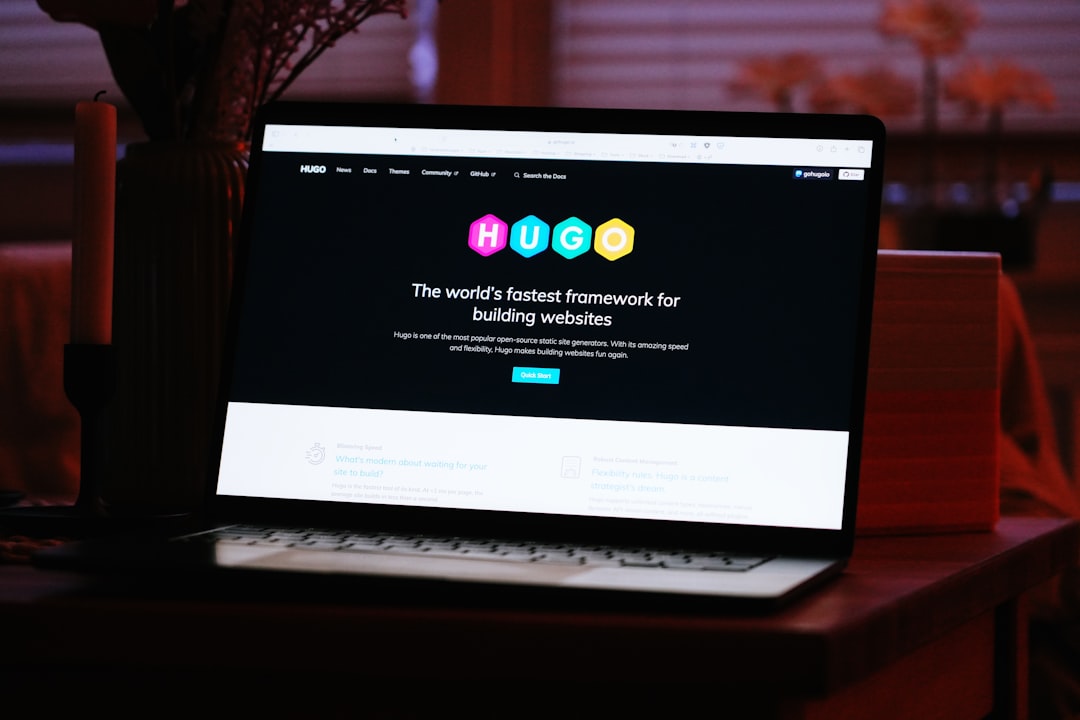
  • How to Build a PropTech Platform Website with Canvas

    How to Build a PropTech Platform Website with Canvas

    The PropTech sector is growing fast, and investors, renters, and buyers now expect the same polished digital experience from a real estate platform that they get from fintech or SaaS products — yet most real estate websites still look like they were built in 2014. If you are launching or redesigning a proptech website design in 2025, the Canvas HTML Template gives you a professional, component-rich foundation that you can shape into a fully featured real estate platform website without starting from scratch.

    Key Takeaways

    • Canvas’s pre-built section patterns and Bootstrap 5 grid make it straightforward to assemble property listing pages, search interfaces, and agent profiles without custom frameworks.
    • Property cards, hero search bars, and interactive map sections are the three highest-impact UI components for any real estate platform — all buildable natively in Canvas.
    • Trust signals — verified badges, review scores, and agent credentials — should be embedded directly into your layout, not treated as afterthoughts.
    • A well-structured mega menu and sticky header dramatically improve browse-to-enquiry conversion on property-heavy sites.

    What Sets a PropTech Platform Apart from a Standard Real Estate Site

    A traditional estate agent website publishes listings and shows a phone number. A proptech platform is a product — it handles search, filtering, saved searches, agent matching, mortgage calculators, and often transaction workflows. The design implications are significant: you need a UI that can carry high data density without feeling cluttered, support multiple user roles (buyer, renter, landlord, agent), and guide users through multi-step journeys.

    Canvas handles this well because it ships with a deep library of section patterns rather than a handful of rigid page templates. You compose the experience you need, section by section. That modular approach mirrors how proptech products are actually built — feature by feature, not page by page. Understanding those patterns before you start building will save you significant rework; the guide to Canvas Template Section Patterns is worth reading before you write a single line of custom CSS.

    a computer screen with a woman looking at a laptop
    Photo by Team Nocoloco on Unsplash

    Structuring Your Canvas Layout for a Real Estate Platform

    Most successful canvas html real estate builds follow a three-column interior layout for listing results: a fixed filter sidebar on the left, a scrollable card grid in the centre, and an optional sticky map panel on the right. Bootstrap 5’s grid makes this straightforward. Use the Bootstrap Grid Calculator to work out column ratios before committing to markup.

    A typical listing results wrapper looks like this:

    <div class="container-fluid px-4">
      <div class="row g-4">
    
        <!-- Filter Sidebar -->
        <aside class="col-lg-3 col-xl-2">
          <div class="card border-0 shadow-sm p-3 sticky-top" style="top: 80px;">
            <h6 class="fw-bold mb-3">Filter Properties</h6>
            <label class="form-label small">Property Type</label>
            <select class="form-select form-select-sm mb-3">
              <option>Any</option>
              <option>Apartment</option>
              <option>House</option>
              <option>Commercial</option>
            </select>
            <label class="form-label small">Max Price</label>
            <input type="range" class="form-range mb-3" min="100000" max="2000000" step="50000">
            <button class="btn btn-dark btn-sm w-100">Apply Filters</button>
          </div>
        </aside>
    
        <!-- Listing Grid -->
        <main class="col-lg-9 col-xl-7">
          <div class="row g-4" id="property-grid">
            <!-- Property cards injected here -->
          </div>
        </main>
    
        <!-- Map Panel -->
        <div class="col-xl-3 d-none d-xl-block">
          <div id="map" class="rounded sticky-top" style="height: 85vh; top: 80px; background: #e9ecef;"></div>
        </div>
    
      </div>
    </div>

    Building Property Listing Cards That Convert

    The property card is the most repeated UI element on any real estate platform. It needs to communicate price, location, key stats (beds, baths, sqm), and tenure type — all within a compact, scannable format. Canvas’s Bootstrap 5 card utilities give you a solid base; the post on 8 Bootstrap 5 Card Components You Should Be Using Right Now covers several patterns directly applicable to property listings, including image-overlay and horizontal variants.

    Here is a production-ready property card built on Canvas conventions:

    <div class="card border-0 shadow-sm h-100 property-card">
      <div class="position-relative">
        <img src="property-hero.jpg" class="card-img-top" alt="3-bed apartment in Shoreditch" style="height: 220px; object-fit: cover;">
        <span class="badge bg-dark position-absolute top-0 start-0 m-3">For Sale</span>
        <span class="badge bg-success position-absolute top-0 end-0 m-3">New</span>
      </div>
      <div class="card-body">
        <p class="text-muted small mb-1">Shoreditch, London</p>
        <h5 class="card-title fw-bold mb-1">£725,000</h5>
        <p class="card-text text-muted small">3 Beds &middot; 2 Baths &middot; 94 m²</p>
      </div>
      <div class="card-footer bg-white border-top d-flex justify-content-between align-items-center">
        <div class="d-flex align-items-center gap-2">
          <img src="agent-avatar.jpg" class="rounded-circle" width="28" height="28" alt="Agent">
          <small class="text-muted">Sarah Okafor</small>
        </div>
        <a href="#" class="btn btn-outline-dark btn-sm">View</a>
      </div>
    </div>

    Add a subtle hover lift with a single CSS rule to increase engagement without heavy JavaScript:

    .property-card {
      transition: transform 0.2s ease, box-shadow 0.2s ease;
    }
    .property-card:hover {
      transform: translateY(-4px);
      box-shadow: 0 12px 32px rgba(0, 0, 0, 0.10) !important;
    }

    On a property platform, navigation does double duty: it helps users move between sections (Buy, Rent, Sell, New Homes, Commercial) and it surfaces the primary search function without requiring a full page load. Canvas’s sticky header system is ideal here — pair it with a mega menu to expose sub-categories (by region, property type, or price band) at a glance.

    The detailed breakdown in Canvas Mega Menu Setup: Navigation Patterns That Work covers exactly how to wire up multi-column dropdowns in Canvas. For a proptech site, configure one mega menu column per primary intent (Buy, Rent, Commercial) and include a live search input directly in the header bar:

    <form class="d-flex align-items-center gap-2 ms-auto" role="search">
      <div class="input-group">
        <input
          type="search"
          class="form-control form-control-sm"
          placeholder="Search by city, postcode or address…"
          aria-label="Property search"
          style="min-width: 260px;"
        >
        <button class="btn btn-dark btn-sm" type="submit">Search</button>
      </div>
    </form>

    Embedding Trust Signals Directly into the Layout

    PropTech platforms live or die on trust. Buyers are committing hundreds of thousands of pounds; landlords are handing over keys. Every page of your real estate platform website should carry credibility signals baked into the layout — not buried in an About page nobody reads.

    Concrete elements to include:

    1. Agent verification badges — show a checkmark or RICS/ARLA accreditation icon beside every agent name, rendered inline in the card footer (as shown above).
    2. Review scores — pull aggregate star ratings from Google or Trustpilot and embed them in the agent profile and property detail pages using Canvas’s rating component.
    3. Transaction volume counters — a stats bar showing “4,200+ properties listed”, “£1.2bn in sales completed”, “98% landlord retention” builds confidence at the platform level. Place this immediately beneath the hero section.
    4. SSL and data trust badges — display these in the footer, particularly on any page with an enquiry or valuation form.
    5. Regulatory disclosures — GDPR consent wording and FCA registration numbers (if applicable) should be persistent in the footer, not hidden in a link.

    Use Canvas Builder‘s AI layout generator to assemble a trust-bar section quickly — describe the stats you want to display and it will output a ready-to-use HTML block you can paste directly into your Canvas build.

    Designing the Hero and Above-the-Fold Experience

    The hero section of a proptech platform needs to do one thing: get users into search. A background property image (or subtle parallax video) with an overlaid search form converts far better than a general value proposition paragraph. Keep copy tight — one headline, one sub-line, one search bar.

    <section class="position-relative text-white text-center py-6" style="background: url('hero-property.jpg') center/cover no-repeat;">
      <div class="position-absolute top-0 start-0 w-100 h-100" style="background: rgba(0,0,0,0.5);"></div>
      <div class="container position-relative z-1 py-5">
        <h1 class="display-5 fw-bold mb-2">Find Your Next Property</h1>
        <p class="lead mb-4 text-white-50">Search 12,000+ listings across the UK</p>
        <div class="bg-white rounded p-3 d-inline-flex gap-2 shadow-lg">
          <select class="form-select">
            <option>Buy</option>
            <option>Rent</option>
            <option>Commercial</option>
          </select>
          <input type="text" class="form-control" placeholder="City, postcode or area…" style="min-width: 240px;">
          <button class="btn btn-dark px-4">Search</button>
        </div>
      </div>
    </section>

    Keep the hero viewport height between 60vh and 75vh — enough to be impactful without forcing users to scroll past it on a laptop screen. On mobile, collapse the search bar to a single-field input with a full-width button.

    Frequently Asked Questions

    Is Canvas HTML Template suitable for a large-scale PropTech platform with thousands of listings?

    Canvas provides the front-end UI layer — the HTML, CSS, and JavaScript components. It is fully capable of handling complex, data-heavy layouts. For large listing volumes, you would pair Canvas with a back-end (Node.js, Laravel, or a headless CMS) that dynamically renders or injects listing data into Canvas’s card and grid components. The template itself imposes no data limits.

    Can I add an interactive map to a Canvas real estate build?

    Yes. Canvas does not ship with a map library by default, but it is straightforward to integrate Mapbox GL JS or Google Maps into any Canvas page. Drop the map into a fixed-height <div> using the three-column layout shown above, initialise the library in a custom script file, and use Canvas’s component containers for styling consistency.

    What is the best way to handle property search filtering in a Canvas proptech site?

    For a static or semi-static build, JavaScript-driven filtering (using libraries like Isotope or a custom filter function) works well with Canvas’s card grid. For a full-platform build, the filter sidebar posts parameters to a back-end API and re-renders the grid with the returned results. Canvas’s layout stays consistent either way — only the data injection method changes.

    How do I make property listing cards responsive in Canvas?

    Use Bootstrap 5’s responsive column classes on the card grid wrapper: class="col-12 col-sm-6 col-xl-4" gives you one card per row on mobile, two on tablet, and three on desktop. Combine this with h-100 on the card itself and a g-4 gutter class on the row to maintain consistent spacing across Bootstrap breakpoint tester.

    Does proptech website design require a separate mobile template or app?

    Not necessarily. Canvas is fully responsive, and a well-built Canvas proptech site will perform correctly on mobile browsers. For native app functionality (push notifications, offline search, camera access for property uploads), a progressive web app (PWA) layer can be added on top of your Canvas HTML build without replacing the existing template structure.

    Building a credible, conversion-focused proptech platform does not require a bespoke design system or a six-figure agency budget — it requires the right foundation and a clear component strategy. Try Canvas Builder free and use the AI layout generator to scaffold your property search pages, listing cards, and agent profiles in a fraction of the time it would take to build from scratch.